
就如同今日的海量資料,我們會想要找到所需要的資訊,對應到影像來說,我們所需要的部份稱之為感興趣區域 (Region of Interest)。之前已寫過一篇,可參考:感興趣區域 (Region of Interest)。
我已把該篇程式碼精簡化,變得相當容易理解:
/**
	Theme: Region of Interest
	Compiler: Dev C++ 4.9.9.2 with OpenCV 2.0
	Date: 101/06/02
	Author: HappyMan
	Blog: https://cg2010studio.wordpress.com/
*/
#include <cv.h>
#include <highgui.h>
#include <stdio.h>
#include<iostream>
using namespace std;

int main(){
    IplImage *Image;
    CvRect Rect;
    CvSize Size;
	int Height;
	int Width;
	int Dims;

    Image=cvLoadImage("HappyMan's Girl.jpg",1);

    Dims=cvGetDims(Image,0);
    Height=cvGetDimSize(Image,0);//0高
    Width=cvGetDimSize(Image,1);//1寬

    Rect=cvRect(50,70,500,450);//左上點(50,70),大小(500,450)
    cvSetImageROI(Image,Rect);

    Size=cvGetSize(Image);

    printf("==Apple ROI Information==\n");
    printf("Dims is : %d\n",Dims);
    printf("Height is : %d\n",Height);
    printf("Width is : %d\n",Width);
    printf("ROI Size is : (%d,%d)\n\n",Size.height,Size.width);

	for(int i=0; i<=10; i++){//設定121點的顏色
		CvScalar Scalarx=cvScalar(0,25*i,255);
		for(int j=0; j<=10; j++){
		    cvSet2D(Image,70+i,40+j,Scalarx);
		}
	}

    cvNamedWindow("Apple ROI",1);
    cvShowImage("Apple ROI",Image);

    cvResetImageROI(Image);//重新設定ROI

    cvNamedWindow("Apple",1);
    cvShowImage("Apple",Image);

    cvWaitKey(0);

    cvReleaseImage(&Image);
	cvDestroyWindow("Apple");
	cvDestroyWindow("Apple ROI");
	return EXIT_SUCCESS;
}
這裡的重點在於這一行程式碼:
- cvRect(50,70,500,450);//左上點(50,70),大小(500,450)
設定起始位置和面積範圍。
有請我的MV女孩為我們測試:)
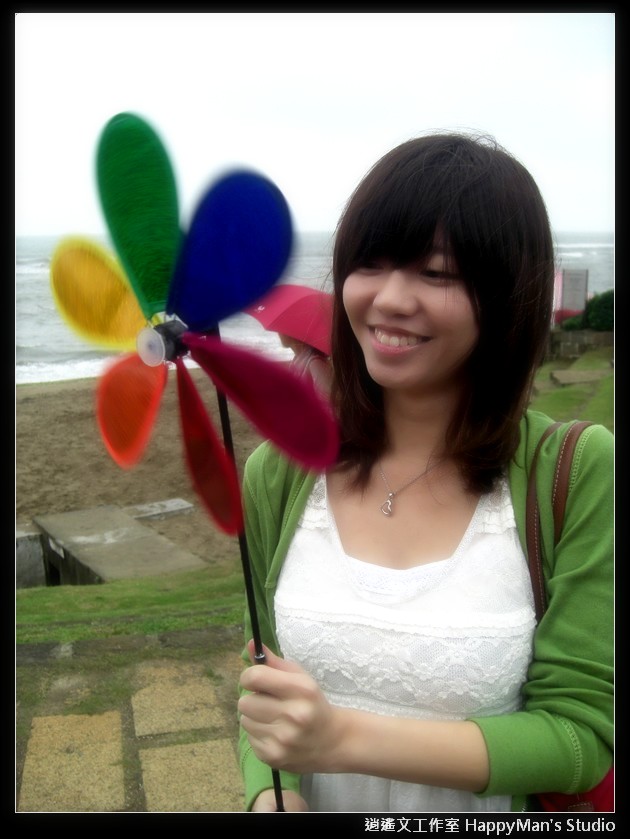
執行後會產生兩個視窗,一個顯示原始影像,一個顯示ROI影像。

以上圖而言可以想得到的應用就是,將人家為了保護影像所有權而添加的外框給去除掉,這時就可以使用感興趣區域 (Region of Interest)來執行動作。哈~我好像在破自己的陣法:P不過呢~「魔高一尺,道高一丈」,若是浮水印烙加在影像上,要去除可就難囉~


 逍遙文工作室
Comments on: "[OpenCV] 感興趣區域 (Region of Interest)" (8)
你好,
想請教一下是否可以將今天所定義出來的ROI另存成一張圖檔呢?
讚讚
大大 請教一下…
我將您的程式碼扔進Visual Studio 2013裡執行(已與opencv 3做連結 有成功執行其他程式)
卻會跑出:
[下面的框架可能錯誤及/或遺失,未載入 opencv_world300.dll 的符號]
請問如何解決呢?
讚讚
Hi, the error I got is, no variable declared before “=" at line 28, that is at CvRect = Rect (50,70,500,450);
讚讚
Hello, did you declare the variable “CvRect"?
In fact “CvRect" is a data type, so you can’t use it as a variable.
讚讚
oh, I got it..thank you 🙂
讚讚
You’re welcome 😉
讚讚
想請教一下大大
如果不以設定固定的區域範圍cvRect(50,70,500,450)的方式
要如何將影片檔以"滑鼠事件"框選出感興趣區域
再將感興趣區域由另一個視窗單獨顯示(變成僅剩影片中的被框定的範圍)
讚讚
嗨:)你可以先參考這篇:滑鼠事件 (Mouse Event)。(點擊可連結)
有兩個函式你可以用來創造一個新的視窗:cvNamedWindow和cvShowImage,
後者函式的第二個參數為影像,這個影像可以根據「滑鼠事件」加上「感興趣區域」來取得。
讚讚