
最簡單的方式學OpenGL是在Dev C++這個IDE上安裝OpenGL,在此紀錄如何Dev C++ 安裝 OpenGL。
依照下列幾個步驟,就可以成功完成OpenGL安裝。
1. 下載並安裝Dev-C++ 5.0 beta 9.2 (4.9.9.2)
http://www.bloodshed.net/devcpp.html

2. 開啟Dev-C++
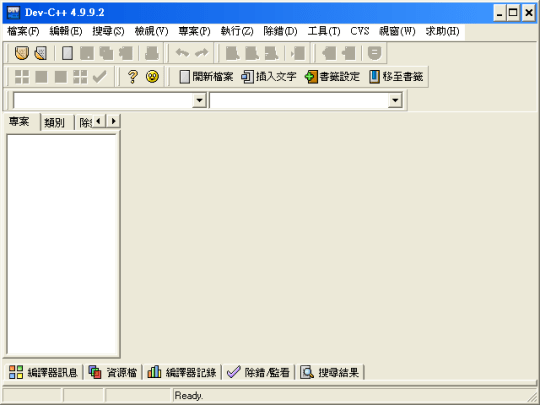
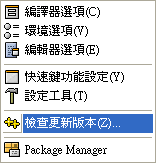
3. ->工具(命令列)->檢查更新版本(選單)
4. Select devpakserver(欄位)->devpaks.orgCommunity Devpaks(選單)->Check for Updates(按鈕)
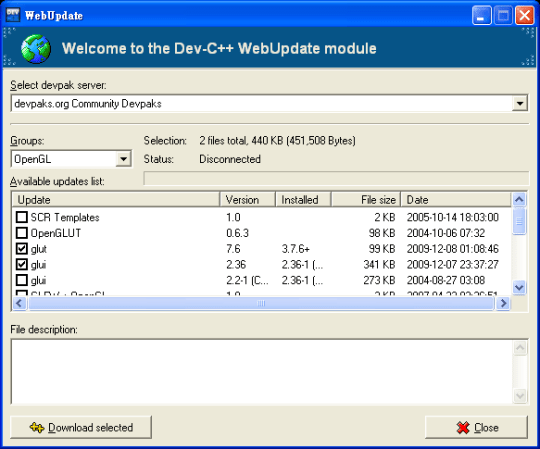
5. Groups(欄位)->OpenGL(選單)->選項:glut(視窗工具)、glui(介面設計)、glaux(材質貼圖)->Download selected(按鈕)
注意如下:
- glut 需選2004年而非
2009年 - glui需選2009年
- glaux需選2006年
※為何要選這些年?因為實驗結果可行,若有人安裝其它年份成功,請告訴我!
6. 將以上三者下載完畢並安裝
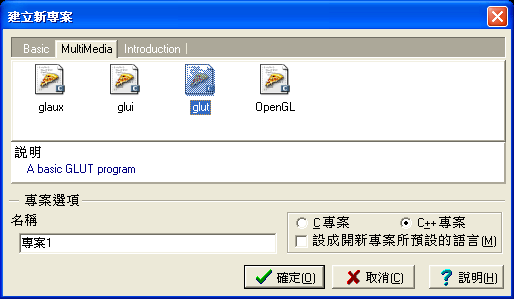
7. 開新專案-> MultiMedia(選單)->glut(圖示)->確定(按鈕)
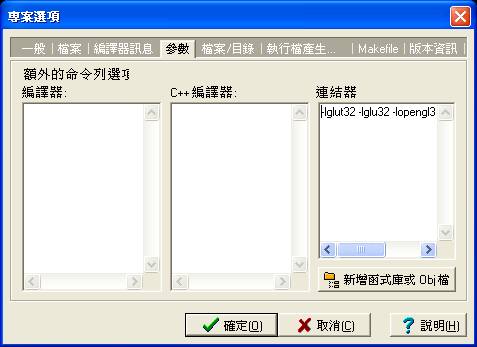
8. 專案(樹狀圖)按右鍵->專案選項->參數->連結器->複製一行指令->關掉視窗
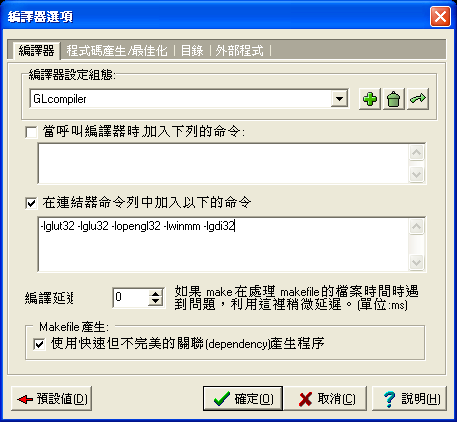
9. 工具->編譯器選項->呼叫編譯器時加入下列的命令(欄位)打勾->面框貼上剛才所複製的一行指令->確定(按鈕)
10. 執行->編譯;執行->執行
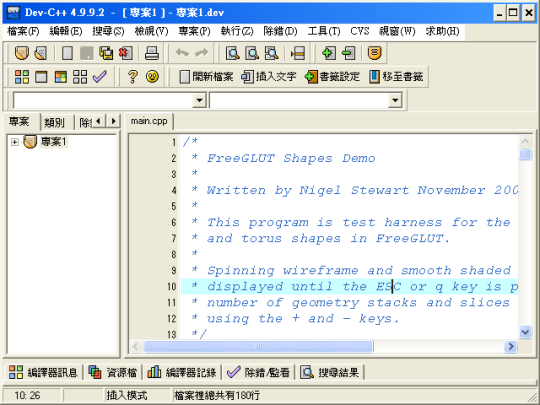
11. 完成!
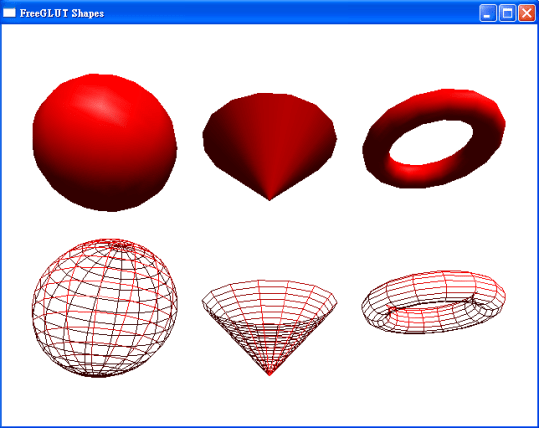
參考:How to Install Dev-C++ and the GLUT Libraries for Compiling OpenGL Programs with ANSI C。


 逍遙文工作室
Comments on: "[OpenGL] Dev C++ 安裝 OpenGL 教學" (23)
請問一下大大 編譯的時候出現這些訊息… 還有太長我刪了一些 大部份都長得很像… 感恩
C:\Users\Zoe\Desktop\main.o main.cpp:(.text+0x1c): undefined reference to `_imp____glutInitWithExit@12′
C:\Users\Zoe\Desktop\main.o main.cpp:(.text+0x3e): undefined reference to `_imp____glutCreateWindowWithExit@8′
C:\Users\Zoe\Desktop\main.o main.cpp:(.text+0x60): undefined reference to `_imp____glutCreateMenuWithExit@8′
C:\Users\Zoe\Desktop\main.o main.cpp:(.text+0x58a): undefined reference to `_imp__glutPostRedisplay@0′
C:\Users\Zoe\Desktop\main.o main.cpp:(.text+0x637): undefined reference to `_imp__glutDisplayFunc@4′
C:\Users\Zoe\Desktop\main.o main.cpp:(.text+0x648): undefined reference to `_imp__glutKeyboardFunc@4′
C:\Users\Zoe\Desktop\main.o main.cpp:(.text+0x659): undefined reference to `_imp__glutIdleFunc@4′
C:\Users\Zoe\Desktop\main.o main.cpp:(.text+0x7fe): undefined reference to `_imp__glutMainLoop@0′
c:\users\zoe\desktop\dev-cpp portable\32\mingw32\mingw32\bin\ld.exe main.o: bad reloc address 0x20 in section `.eh_frame’
c:\users\zoe\desktop\dev-cpp portable\32\mingw32\mingw32\bin\ld.exe final link failed: Invalid operation
C:\Users\Zoe\Desktop\collect2.exe [Error] ld returned 1 exit status
25 C:\Users\Zoe\Desktop\Makefile.win recipe for target ‘gl.exe’ failed
讚讚