
最近在做遊戲,是個抓神魔獸的小遊戲,我們想要加入背景音樂,讓玩家能融入遊戲情境之中,以增加玩家黏著度。
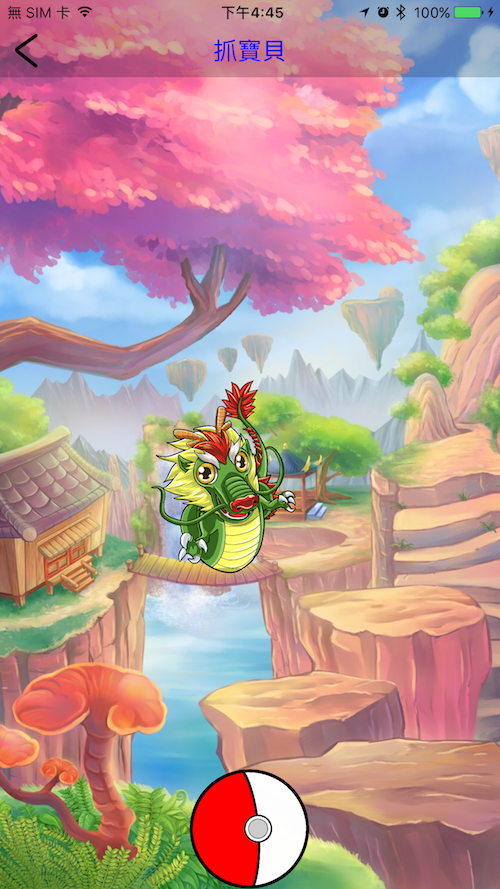
那麼要如何播放背景音樂 (Play Background Music)呢?
將音樂.mp3檔匯入專案,再加上只要幾行的程式碼,就能播放音樂囉!
/**
 Theme: Play Background Music
 IDE: Xcode 8
 Language: Objective C
 Date: 106/08/30
 Author: HappyMan
 Blog: https://cg2010studio.com/
 */

// .h檔
#import

{
    AVAudioPlayer *musicAudioPlayer;
}

@end

// .m檔
{
        NSString *soundFilePath = [[NSBundle mainBundle] pathForResource:@“Happy Battle" ofType:@"mp3"];
        NSURL *fileURL = [[NSURL alloc] initFileURLWithPath:soundFilePath];
        musicAudioPlayer = [[AVAudioPlayer alloc] initWithContentsOfURL:fileURL error:nil];
        musicAudioPlayer.numberOfLoops = -1; //infinite loop
        [musicAudioPlayer play];
}
離開畫面會自動停止播放,或者是實作:
[musicAudioPlayer stop];
190216:我遇到在Mac上可以播放的mp3,然而放入專案中編譯播放卻沒有聲音⋯⋯debug十多分後,發現檔案內容顯示秒數為0,我拿其他mp3可以正常播放,後來把該檔轉檔後就恢復正常啦~真是個神奇的檔案XD!
想要App在背景時也能播放,可以加入這幾行:
[[AVAudioSession sharedInstance] setCategory:AVAudioSessionCategoryPlayback error:nil];
[[AVAudioSession sharedInstance] setActive:YES error:nil];
[[UIApplication sharedApplication] beginReceivingRemoteControlEvents];
參考:playing a mp3 file in iOS app、Play music in the background using AVAudioplayer。


 逍遙文工作室
隨意留個言吧:)~