
來到watchOS2的時代,除了Watch可以獨立運行外,與Phone溝通也變得比較容易,透過全新的WatchConnectivity framework,就能彼此溝通呢!於是就不用像watchOS1時代拐彎抹角囉~

首先在IB上Phone(Main.storyboard)和Watch(Interface.storyboard)各拉label和button,並且準備設定IBOutlet和IBAction。
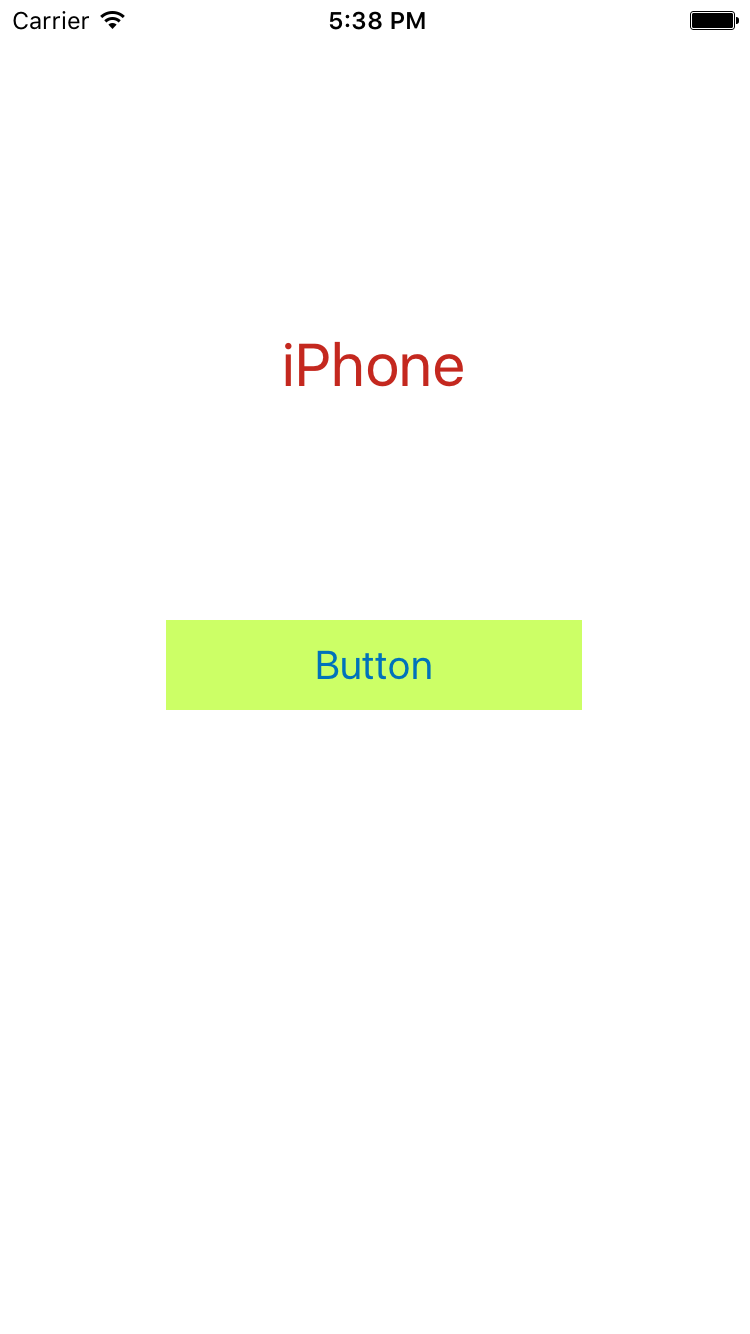
Phone的介面
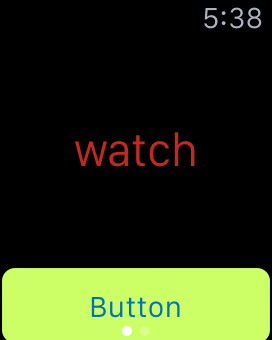
Watch的介面
Phone和Watch將程式碼分別寫在ViewController.swift和InterfaceController.swift。兩者程式碼非常相似,皆透過WCSession單實體設定代理來傳送與接收。
/**
 Theme: Communication between Phone and Watch
 IDE: Xcode 7
 Language: Swift
 Date: 104/09/25
 Author: HappyMan
 Blog: https://cg2010studio.wordpress.com/
 */
//- - - Phone ViewController
import UIKit
import WatchConnectivity

class ViewController: UIViewController, WCSessionDelegate {
    var session: WCSession!
    @IBOutlet var label: UILabel!
    @IBOutlet var button: UIButton!

    func session(session: WCSession, didReceiveMessage message: [String : AnyObject], replyHandler: ([String : AnyObject]) -> Void) {
        //handle received message
        let value = message["Value"] as? String
        dispatch_async(dispatch_get_main_queue()) {
            self.label.text = value
        }
        //send a reply
        replyHandler(["Value":"Hello, Happy Watch"])
    }

    @IBAction func sendMessage(sender: AnyObject) {
        //Send Message to WatchKit
        let messageToSend = ["Value":"Hi, happy watch, can you talk to me?"]
        session.sendMessage(messageToSend, replyHandler: { replyMessage in
            //handle the reply
            let value = replyMessage["Value"] as? String
            //use dispatch_asynch to present immediately on screen
            dispatch_async(dispatch_get_main_queue()) {
                self.label.text = value
            }
            }, errorHandler: {error in
                // catch any errors here
                print(error)
        })
    }

    override func viewDidLoad() {
        super.viewDidLoad()

        if (WCSession.isSupported()) {
            session = WCSession.defaultSession()
            session.delegate = self;
            session.activateSession()
        }
    }
}
//- - - Watch ViewController
import WatchKit
import Foundation
import WatchConnectivity

class InterfaceController: WKInterfaceController, WCSessionDelegate {
    var session : WCSession!
    @IBOutlet var label: WKInterfaceLabel!
    @IBOutlet var button: WKInterfaceButton!

    func session(session: WCSession, didReceiveMessage message: [String : AnyObject], replyHandler: ([String : AnyObject]) -> Void) {
        //handle received message
        let value = message["Value"] as? String
        //use this to present immediately on the screen
        dispatch_async(dispatch_get_main_queue()) {
            self.label.setText(value)
        }
        //send a reply
        replyHandler(["Value":"Yes, sure"])
    }

    @IBAction func sendMessage() {
        let messageToSend = ["Value":"Hello happy iPhone"]
        session.sendMessage(messageToSend, replyHandler: { replyMessage in
            //handle and present the message on screen
            let value = replyMessage["Value"] as? String
            self.label.setText(value)
            }, errorHandler: {error in
                // catch any errors here
                print(error)
        })
    }

    override func willActivate() {
        // This method is called when watch view controller is about to be visible to user
        super.willActivate()

        if (WCSession.isSupported()) {
            session = WCSession.defaultSession()
            session.delegate = self
            session.activateSession()
        }
    }
}
編譯執行可分別點擊Phone和Watch上的按鈕喔~
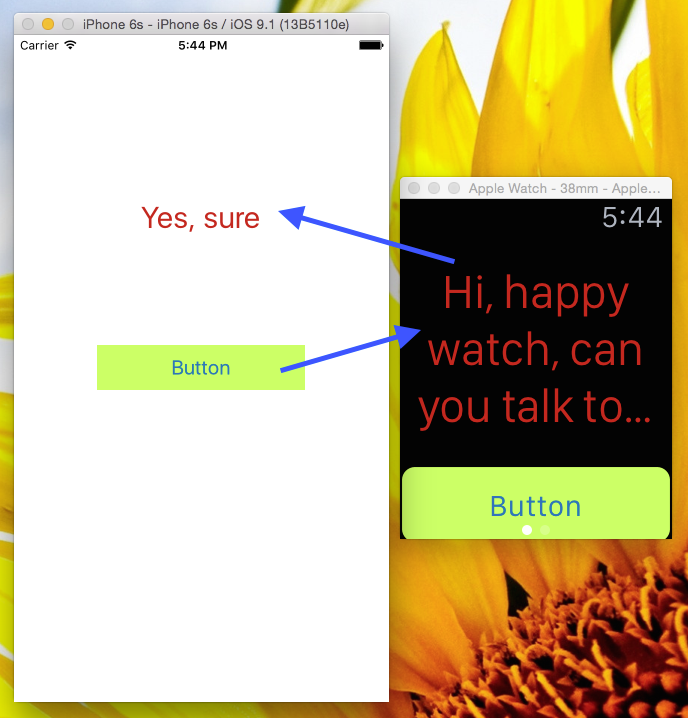
點Phone上的按鈕。Watch收到訊息後,回傳資料給Phone。
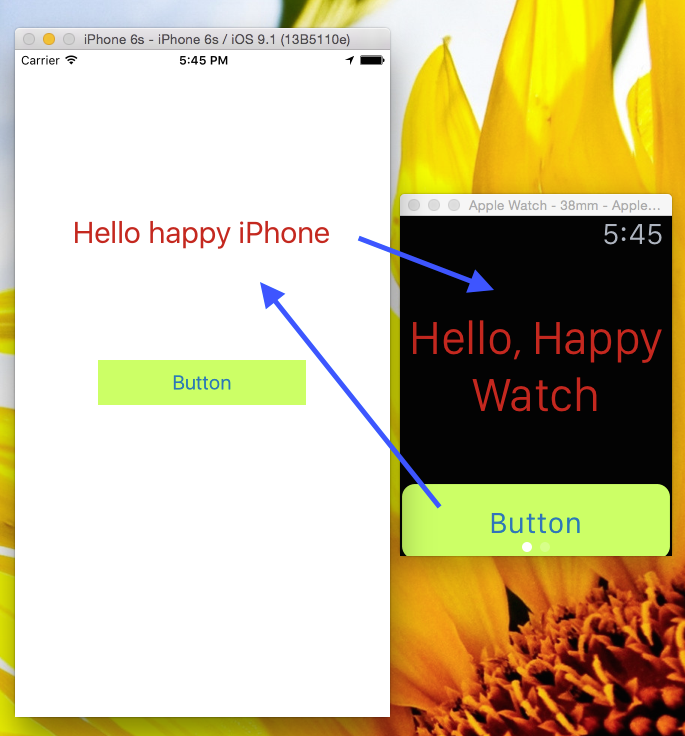
點Watch上的按鈕。Phone收到訊息後,回傳資料給Watch。
可以看到彼此接收到,將字串呈現在螢幕上。之後可嘗試互傳影像或檔案。
註:Xcode 7.1 beta還不太穩定,使用模擬器執行一段時間就整個卡住不動,我只好重開Xcode來重新運行模擬器,如果可以的話,就用實機來測試吧!
參考:


 逍遙文工作室
隨意留個言吧:)~