
縮放影像已經是個相當常用的功能,尤其在這社群分享很夯的時代,分享生活少不了影像輔助,於是乎很多App都要有這樣子的功能~
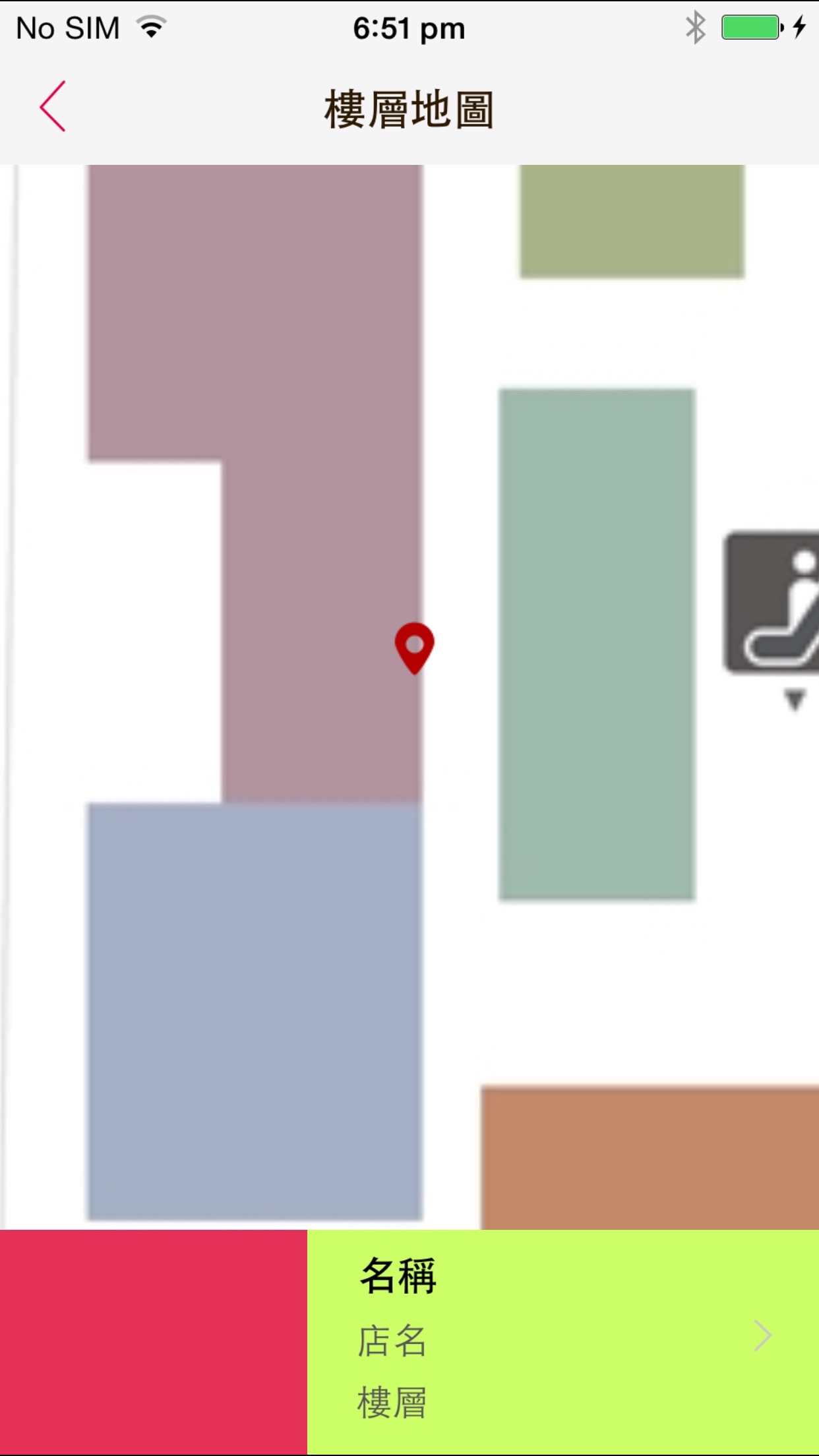
以下是樓層地圖,我們想要放大來看確切的位置。

先前有寫過ScrollView 實作影像縮放與移動,但是功能還不算完善,甚至還有異常的bugXD~好在有高手分享極其完美的教學,以後要製作這功能時,直接來複製貼上吧:P~
程式碼內有註明順序,詳情可參考原作者的說明喔~
/**
 Theme: Scroll View to Scroll and Zoom Image
 IDE: Xcode 6
 Language: Objective C
 Date: 104/09/09
 Author: HappyMan
 Blog: https://cg2010studio.wordpress.com/
 */

- (void)viewDidLoad {
    [super viewDidLoad];

    // 1
    UIImage *image = [UIImage imageNamed:@"map_image.jpg"];
    self.imageView = [[UIImageView alloc] initWithImage:image];
    self.imageView.frame = (CGRect){.origin=CGPointMake(0.0f, 0.0f), .size=image.size};

    // 加入瞄點
    UIImage *imagex = [UIImage imageNamed:@"img_store_location_n"];
    UIImageView *imageViewx = [[UIImageView alloc] initWithImage:imagex];
    imageViewx.center = CGPointMake(100, 200);
    [self.imageView addSubview:imageViewx];
    [self.scrollView addSubview:self.imageView];

    // 2
    self.scrollView.contentSize = image.size;

    // 3
    UITapGestureRecognizer *doubleTapRecognizer = [[UITapGestureRecognizer alloc] initWithTarget:self action:@selector(scrollViewDoubleTapped:)];
    doubleTapRecognizer.numberOfTapsRequired = 2;
    doubleTapRecognizer.numberOfTouchesRequired = 1;
    [self.scrollView addGestureRecognizer:doubleTapRecognizer];

    UITapGestureRecognizer *twoFingerTapRecognizer = [[UITapGestureRecognizer alloc] initWithTarget:self action:@selector(scrollViewTwoFingerTapped:)];
    twoFingerTapRecognizer.numberOfTapsRequired = 1;
    twoFingerTapRecognizer.numberOfTouchesRequired = 2;
    [self.scrollView addGestureRecognizer:twoFingerTapRecognizer];
}

- (void)viewWillAppear:(BOOL)animated {
    [super viewWillAppear:animated];

    // 4
    CGRect scrollViewFrame = self.scrollView.frame;
    CGFloat scaleWidth = scrollViewFrame.size.width / self.scrollView.contentSize.width;
    CGFloat scaleHeight = scrollViewFrame.size.height / self.scrollView.contentSize.height;
    CGFloat minScale = MIN(scaleWidth, scaleHeight);
    self.scrollView.minimumZoomScale = minScale;

    // 5
    self.scrollView.maximumZoomScale = 3.0f;
    self.scrollView.zoomScale = minScale;

    // 6
    [self centerScrollViewContents];
}

- (void)centerScrollViewContents {
    CGSize boundsSize = self.scrollView.bounds.size;
    CGRect contentsFrame = self.imageView.frame;

    if (contentsFrame.size.width < boundsSize.width) {
        contentsFrame.origin.x = (boundsSize.width - contentsFrame.size.width) / 2.0f;
    } else {
        contentsFrame.origin.x = 0.0f;
    }

    if (contentsFrame.size.height < boundsSize.height) {
        contentsFrame.origin.y = (boundsSize.height - contentsFrame.size.height) / 2.0f;
    } else {
        contentsFrame.origin.y = 0.0f;
    }
    self.imageView.frame = contentsFrame;
}

- (void)scrollViewDoubleTapped:(UITapGestureRecognizer*)recognizer {
    // 1
    CGPoint pointInView = [recognizer locationInView:self.imageView];

    // 2
    CGFloat newZoomScale = self.scrollView.zoomScale * 1.5f;
    newZoomScale = MIN(newZoomScale, self.scrollView.maximumZoomScale);

    // 3
    CGSize scrollViewSize = self.scrollView.bounds.size;

    CGFloat w = scrollViewSize.width / newZoomScale;
    CGFloat h = scrollViewSize.height / newZoomScale;
    CGFloat x = pointInView.x - (w / 2.0f);
    CGFloat y = pointInView.y - (h / 2.0f);

    CGRect rectToZoomTo = CGRectMake(x, y, w, h);

    // 4
    [self.scrollView zoomToRect:rectToZoomTo animated:YES];
}

- (void)scrollViewTwoFingerTapped:(UITapGestureRecognizer*)recognizer {
    // Zoom out slightly, capping at the minimum zoom scale specified by the scroll view
    CGFloat newZoomScale = self.scrollView.zoomScale / 1.5f;
    newZoomScale = MAX(newZoomScale, self.scrollView.minimumZoomScale);
    [self.scrollView setZoomScale:newZoomScale animated:YES];
}

#pragma mark - UIScrollViewDelegate
- (UIView *)viewForZoomingInScrollView:(UIScrollView *)scrollView {
    // Return the view that you want to zoom
    return self.imageView;
}

- (void)scrollViewDidZoom:(UIScrollView *)scrollView {
    // The scroll view has zoomed, so you need to re-center the contents
    [self centerScrollViewContents];
}
縮放和移動的效果:


 逍遙文工作室
隨意留個言吧:)~