
專案設定方向(Orientation)只能Portrait,可是在某個視圖(View)想要能夠Landscape,該怎麼做呢?
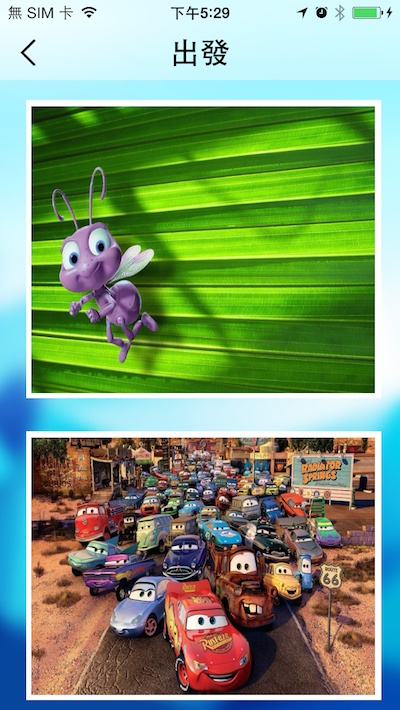
此view只能portrait,點擊圖片進去後,彼view也要能landscape。

Portrait

Landscape
原先以為只要使用這個技巧:在WebView播放Youtube影片旋轉,就能完美地呈現全影幕影像縮放、移動、旋轉。但是呢⋯⋯按下「關閉」,回到上一個view,它沒有轉向回去⋯⋯
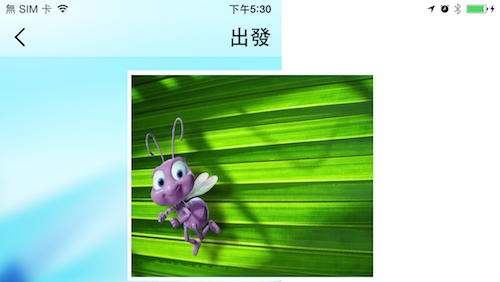
破功!
/**
 Theme: Change Single View Orientation
 IDE: Xcode 6
 Language: Objective C
 Date: 103/11/12
 Author: HappyMan
 Blog: https://cg2010studio.wordpress.com/
 */
//viewcontroller1
- (void)viewDidLoad
{
    [[NSNotificationCenter defaultCenter] addObserver:self selector:@selector(rotateScreenStart:) name:@"RotateScreenStart" object:nil];
    [[NSNotificationCenter defaultCenter] addObserver:self selector:@selector(rotateScreenFinish:) name:@"RotateScreenFinish" object:nil];
}

-(void)rotateScreenStart:(NSNotification *)notification
{
    AppDelegate *appDelegate = (AppDelegate*)[[UIApplication sharedApplication] delegate];
    appDelegate.shouldRotate = YES;
}
-(void)rotateScreenFinish:(NSNotification *)notification
{
    AppDelegate *appDelegate = (AppDelegate*)[[UIApplication sharedApplication] delegate];
    appDelegate.shouldRotate = NO;
}

//viewcontroller2
-(void)viewDidAppear:(BOOL)animated
{
    [super viewDidAppear:animated];
    [[NSNotificationCenter defaultCenter] postNotificationName:@"RotateScreenStart" object:nil];
    AppDelegate *appDelegate = [AppDelegate sharedDelegate];
    appDelegate.shouldRotate = YES;
    [self.photoImageView setImageWithURL:[NSURL URLWithString:self.imageURL]];
}

-(void)viewWillDisappear:(BOOL)animated
{
    [[NSNotificationCenter defaultCenter] postNotificationName:@"RotateScreenFinish" object:nil];
    AppDelegate *appDelegate = [AppDelegate sharedDelegate];
    appDelegate.shouldRotate = NO;
    [[UIDevice currentDevice] setValue:[NSNumber numberWithInteger:UIDeviceOrientationPortrait] forKey:@"orientation"];
    [super viewWillDisappear:animated];
}
關鍵就在於亮標那一行,強制將view轉向portrait,如此做後按「關閉」,會看到一秒動畫平滑地轉回去喲~


 逍遙文工作室
隨意留個言吧:)~