
總是三不五時就上臉書的我們,一定很清楚知道Facebook APP是即時判斷網路連線狀態 (Detect Network Status on Real-Time),如果是「無法連線上網」的狀態,就會暫停需要網路才能運作的功能。

為了demo這個題目,只好出賣我的女性友人>_<。

這裡我們直接使用Apple提供的Reachability程式碼,請到iOS Developer Library Reachability下載。然後將Reachability.h和Reachability.m加到專案裡。
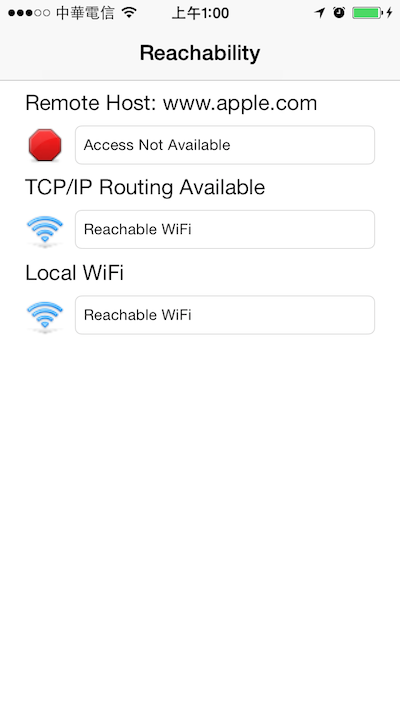
編譯執行它專案的樣子~
其實只要幾行程式碼,就能將它應用自如,一旦偵測到無法連結網路的狀態,可以做相對應的處理,我這裡則是跳出提示。
/**
 Theme: Detect Network Status on Real-Time
 IDE: Xcode 5
 Language: Objective C
 Date: 103/03/25
 Author: HappyMan
 Blog: https://cg2010studio.wordpress.com/
 */

// 在HTAppDelegate.h
#import <UIKit/UIKit.h>
#import "Reachability.h"

@interface HTAppDelegate : UIResponder <UIApplicationDelegate>
{
    Reachability *reachabilty;
}
@property (strong, nonatomic) UIWindow *window;

@end

// 在HTAppDelegate.m
- (BOOL)application:(UIApplication *)application didFinishLaunchingWithOptions:(NSDictionary *)launchOptions
{
    //  Register notification for Network status change
    [[NSNotificationCenter defaultCenter] addObserver:self selector: @selector(reachabilityChanged:) name:kReachabilityChangedNotification object:nil];

    //  Initialize the listener for network status
    reachabilty = [Reachability reachabilityForInternetConnection];
    [reachabilty startNotifier];

    UIViewController *vc = [[HTMapViewController alloc] init];
    UINavigationController *nc = [[UINavigationController alloc] initWithRootViewController:vc];
    nc.navigationBarHidden = YES;
    self.window.rootViewController = nc;
    return YES;
}
// Called by Reachability whenever status changes.
- (void)reachabilityChanged:(NSNotification *)note
{
    Reachability* curReach = [note object];
    NSParameterAssert([curReach isKindOfClass: [Reachability class]]);
    [self updateInterfaceWithReachability: curReach];
}

//  Implementation for Network status notification
- (void)updateInterfaceWithReachability:(Reachability *)curReach
{
    NetworkStatus curStatus;

    BOOL m_bReachableViaWWAN;
    BOOL m_bReachableViaWifi;
    BOOL m_bReachable;
    //  According to curReach, modify current internal flags

    //  Internet reachability
    //  Need network status to know real reachability method
    curStatus = [curReach currentReachabilityStatus];

    //  Modify current network status flags
    if (curStatus == ReachableViaWWAN) {
        m_bReachableViaWWAN = true;
    } else {
        m_bReachableViaWWAN = false;
    }

    if (curStatus == ReachableViaWiFi) {
        m_bReachableViaWifi = true;
    } else {
        m_bReachableViaWifi = false;
    }

    //  Reachable is the OR result of two internal connection flags
    m_bReachable = (m_bReachableViaWifi || m_bReachableViaWWAN);

    if (!m_bReachable) {
        UIAlertView *av = [[UIAlertView alloc] initWithTitle:@"注意" message:@"無法連結網路" delegate:nil cancelButtonTitle:@"OK" otherButtonTitles:nil, nil];
        [av show];
    }
}
現在上網有兩種方式,一是3G二是WiFi,只要其中之一是連線狀態,就判定為有上網!
這程式技術使用到通知(Notification),首先註冊(add)觀察kReachabilityChangedNotification,因為Reachability將會發送(post)通知到kReachabilityChangedNotification,所以APP一旦收到通知,就會去執行reachabilityChanged這個方法。
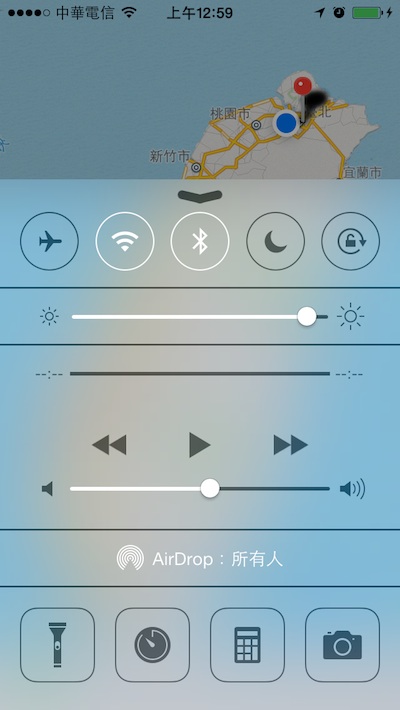
我們關掉WiFi來測試⋯⋯
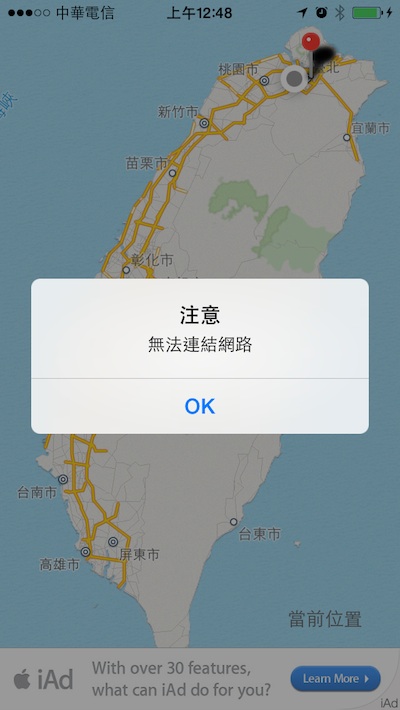
屢試不爽,會跳出提示!
參考:iOS 上偵測網路連線狀態的做法、GitHub – Reachability。


 逍遙文工作室
Comments on: "[iOS] 即時判斷網路連線狀態 (Detect Network Status on Real-Time)" (4)
謝謝分享!
讚Liked by 1 person
很高興幫助到你~ ^_^
讚讚
您好我想請問一下 在XCODE5的環境下我不知道要怎麼樣在模擬器上將網路給關閉
這樣我就無法測試了…不知道版主有沒有遇過這個問題?
讚讚
很簡單,把電腦網路關閉,就能將模擬器網路給關閉喔!要測試的時候先這麼做,測完再把網路給打開,你應該不會邊測模擬器效果邊上網找資料吧~ 😉
讚讚