
由於研究需要用到坎尼邊界偵測器 (Canny Edge Detector),這次就來玩一下OpenCV的範例程式!
- 環境設定參考:Visual Studio 2010 安裝 OpenCV 2.4 beta
- 範例程式:C:\OpenCV2.4beta\samples\cpp\tutorial_code\ImgTrans\CannyDetector_Demo.cpp
/**
	Theme: Canny Edge Detector
	compiler: Visual Studio 2010 with OpenCV 2.4 beta
	Date: 101/10/15
	Author: HappyMan
	Blog: https://cg2010studio.wordpress.com/
*/
/**
 * @file CannyDetector_Demo.cpp
 * @brief Sample code showing how to detect edges using the Canny Detector
 * @author OpenCV team
 */

#include "opencv2/imgproc/imgproc.hpp"
#include "opencv2/highgui/highgui.hpp"
#include <stdlib.h>
#include <stdio.h>

using namespace cv;

Mat src, src_gray;
Mat dst, detected_edges;

int edgeThresh = 1;
int lowThreshold;
int const max_lowThreshold = 100;
int ratio = 3;
int kernel_size = 3;
char* window_name = "Edge Map";

/**
 * @function CannyThreshold
 * @brief Trackbar callback - Canny thresholds input with a ratio 1:3
 */
void CannyThreshold(int, void*){
 /// Reduce noise with a kernel 3x3
 blur( src_gray, detected_edges, Size(3,3) );
 /// Canny detector
 Canny( detected_edges, detected_edges, lowThreshold, lowThreshold*ratio, kernel_size );
 /// Using Canny's output as a mask, we display our result
 dst = Scalar::all(0);
 src.copyTo( dst, detected_edges);
 imshow( window_name, dst );
}

int main( int argc, char** argv ){
 /// Load an image
 src = imread( argv[1] );

 if( !src.data )
 { return -1; }
 /// Create a matrix of the same type and size as src (for dst)
 dst.create( src.size(), src.type() );
 /// Convert the image to grayscale
 cvtColor( src, src_gray, CV_BGR2GRAY );
 /// Create a window
 namedWindow( window_name, CV_WINDOW_AUTOSIZE );
 /// Create a Trackbar for user to enter threshold
 createTrackbar( "Min Threshold:", window_name, &lowThreshold, max_lowThreshold, CannyThreshold );
 /// Show the image
 CannyThreshold(0, 0);
 /// Wait until user exit program by pressing a key
 waitKey(0);

 return 0;
}
程式執行時會出現一個視窗,偵測邊界結果圖上方有個拉霸,可以調整Min Threshold。
Canny Edge Detector演算法的步驟:
- 用高斯濾波器平滑圖像(在調用Canny之前自己用blur平滑)
- 用一階偏導的有限差分來計算梯度的幅值和方向
- 對梯度幅值應用非極大值抑制
- 用雙閾值算法檢測和連接邊緣
關鍵函式:
void Canny(InputArray image, OutputArray edges, double threshold1, double threshold2, int apertureSize=3, bool L2gradient=false )
在此我使用今年二月去花博夢想館的相片~
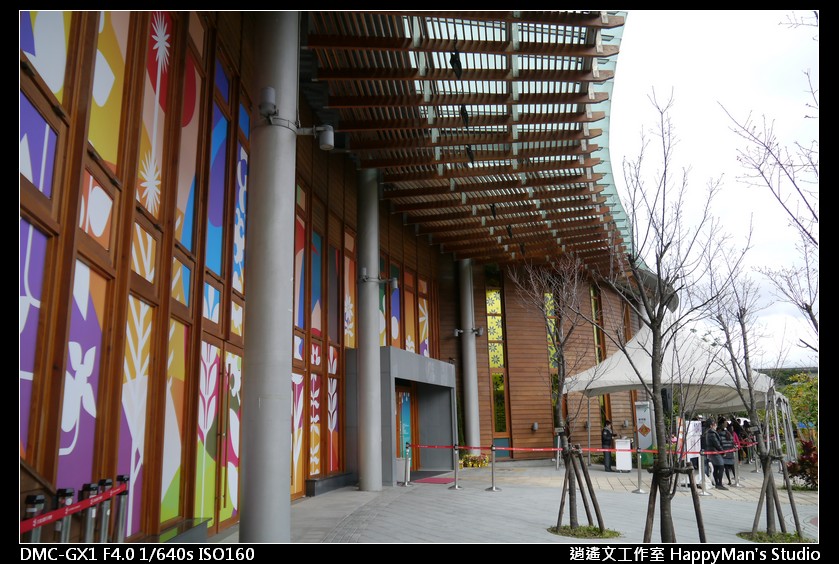
Min Threshold為0時:
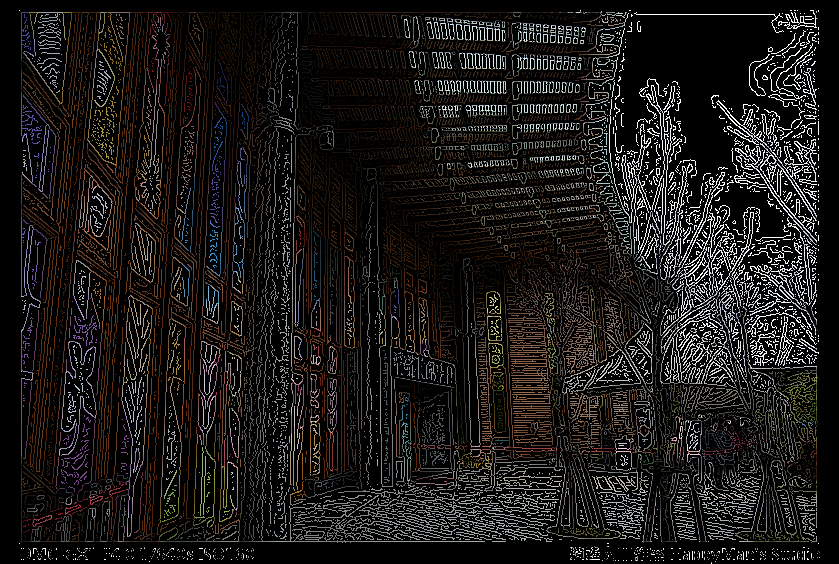
Min Threshold為30時:
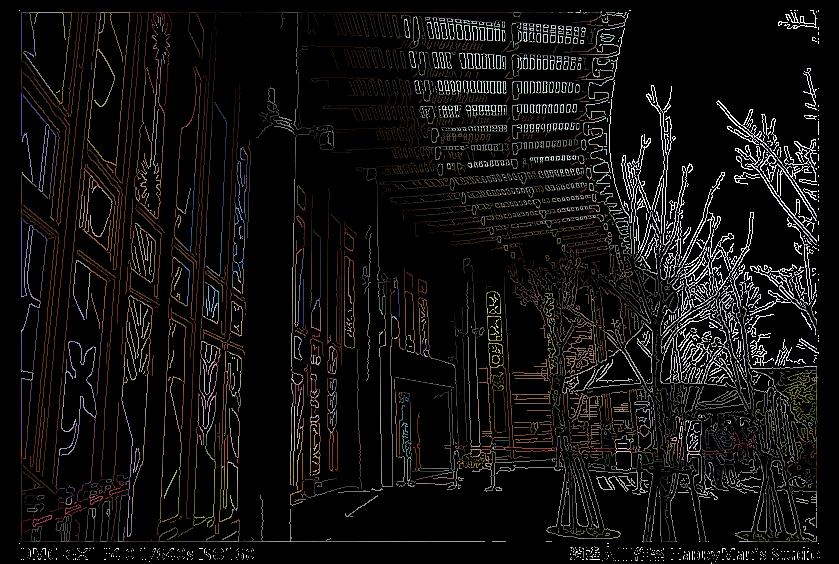
Min Threshold為70時:
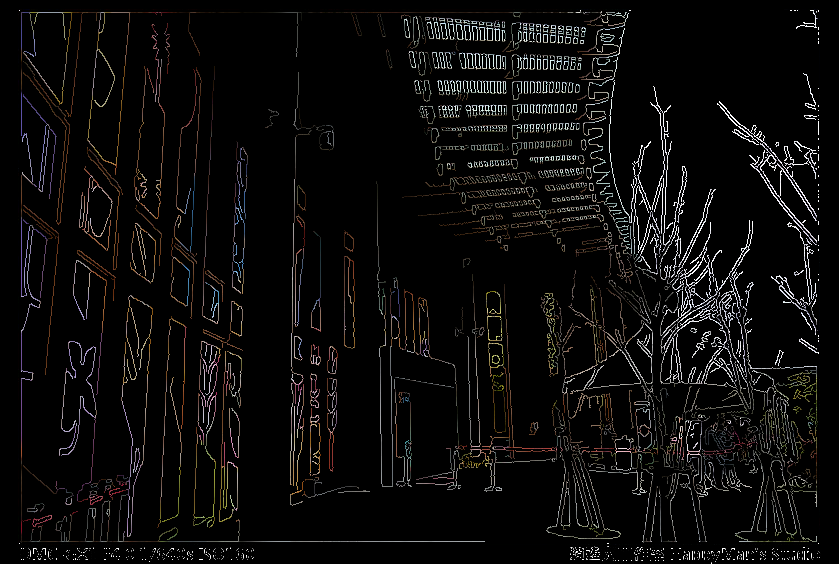
Min Threshold為100時:
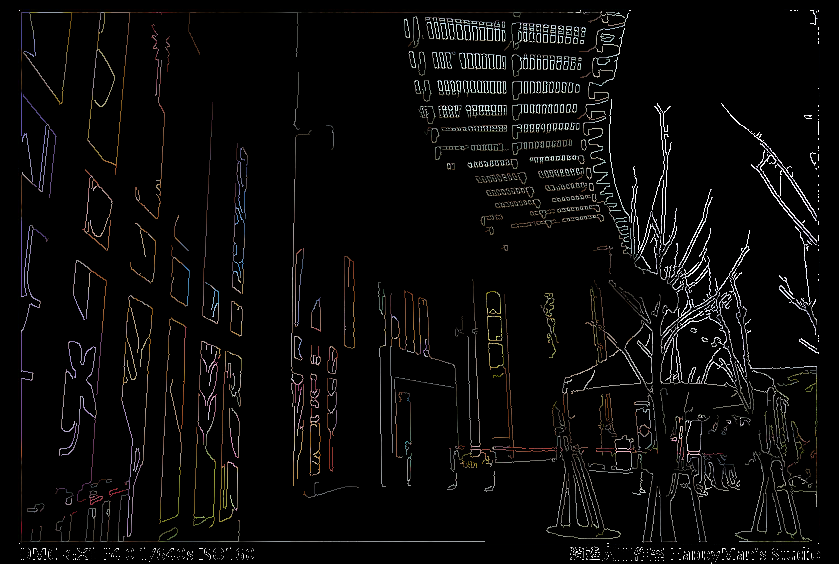
原本Canny Edge Detector的邊界偵測結果都是白色的線條,用了OpenCV的範例程式跑出來居然是彩色的!多麼讓我驚艷~這讓我更加相信,會影像處理的人都可以是個藝術家!讓我們的世界彩色了起來~
參考:WiKi – Canny edge detector、【OpenCV】Canny 邊緣檢測。


 逍遙文工作室
Comments on: "[OpenCV] 坎尼邊界偵測器 (Canny Edge Detector)" (4)
看到彩色的我也很驚訝! 記得我都要先丟灰階化的影像function才會動
讚讚
現在想想,輸出成彩色邊界影像其實很簡單,就是將白色邊界影像對應原圖,來映射每個像素輸出即可!
讚讚
可是這樣意義在哪裡呢? 我以為是將RGB三個Channel各自丟入Canny filter處理,再重新結合出一張RGB影像
讚讚
你以為的方法也可以做到,只不過同樣的事情要做三次。
讚讚