
好難翻video和frame,如果以通俗的字句來說,就是抓取影片中的影像!標題搞得我好像內地人似的XD~不過這樣看起來也比較專業,這篇就叫作擷取視訊影像 (Extract Video Frames)吧!如果有網友需要的話,大概打擷取video的frame也可以搜尋到我這篇文章。
以為用程式讀video會很難實做,但若是OpenCV挺身而出的話,只要呼叫幾個函式就能讀取影片檔啦~其實影片檔就是一連串影像檔的集合嘛~
我們知道一般video的frame一秒鐘有24張,這樣就會讓我們人眼以為它是連續的video,而不是單張的image,動畫即是將連續的影像兜成影片。
- 環境設定參考:Visual Studio 2010 安裝 OpenCV 2.4 beta
- 範例程式:C:\OpenCV2.4beta\samples\cpp\video_dmtx.cpp
/**
	Theme: Extract Video Frames
	compiler: Visual Studio 2010 with OpenCV 2.4 beta
	Date: 101/05/18
	Author: HappyMan
	Blog: https://cg2010studio.wordpress.com/
*/
#include "opencv2/highgui/highgui.hpp"
#include <opencv2/objdetect/objdetect.hpp>
#include <opencv2/imgproc/imgproc.hpp>
#include <iostream>
#include <vector>
#include <stdio.h>

using namespace cv;
using namespace std;

//hide the local functions in an anon namespace
namespace{
void help(char** av){
  cout << "\nThis program justs gets you started reading images from video\n"
    "Usage:\n./" << av[0] << " <video device number>\n"
	  << "# q, Q, esc -- quit\n"
      << "# space     -- save frame\n\n"
      << endl;
}

int process(VideoCapture& capture){
  std::vector<DataMatrixCode> codes;
  int n_save = 0;
  char filename[200];
  string window_name = "#video | q or esc to quit";
  cout << "#press space to save a picture. q or esc to quit" << endl;
  namedWindow(window_name, CV_WINDOW_AUTOSIZE | CV_WINDOW_KEEPRATIO | CV_GUI_EXPANDED); //resizable window;
  Mat frame;
  int n_frame = 0;
  for (;;){
    n_frame++;
	cout<<"n_frame: "<<n_frame<<endl;
    capture >> frame;
    if (frame.empty())
      break;
    cv::Mat gray;
    cv::cvtColor(frame,gray,CV_RGB2GRAY);
    findDataMatrix(gray, codes);
    drawDataMatrixCodes(codes, frame);
    imshow(window_name, frame);

    char key = (char) waitKey(500);
	//delay N millis, usually long enough to display and capture input
    switch (key){
		case 'q':
		case 'Q':
		case 27: //escape key
		  return 0;
		case ' ': //Save an image
		  sprintf(filename, "frame%.3d.jpg", n_save++);
		  imwrite(filename, frame);
		  cout << "save: " << filename << endl;
		  break;
		default:
		  break;
    }
  }
  return 0;
}
}
int main(int ac, char** av){
  if (ac != 2){
    help(av);
    return 1;
  }
  std::string arg = av[1];
  VideoCapture capture(arg);
  //try to open string, this will attempt to open it as a video file
  if (!capture.isOpened()){
  //if this fails, try to open as a video camera, through the use of an integer param
    capture.open(atoi(arg.c_str()));
  }
  if (!capture.isOpened()){
    cerr << "Failed to open a video device or video file!\n" << endl;
    help(av);
    return 1;
  }
  return process(capture);
}
按照環境設定好進行編譯即可成功執行。接下來就透過命令提示字元到執行檔資料夾,以指令執行:
- video_dmtx2.4.exe HappyMan.avi
waitkey函式中參數設定為500,表示每0.5秒擷取一次frame,這時候就可以按鍵操作:
- q, Q, Esc:結束程式
- space:儲存frame
我想應該就會有人拿來這程式,來擷取喜歡的電影畫面了吧:P
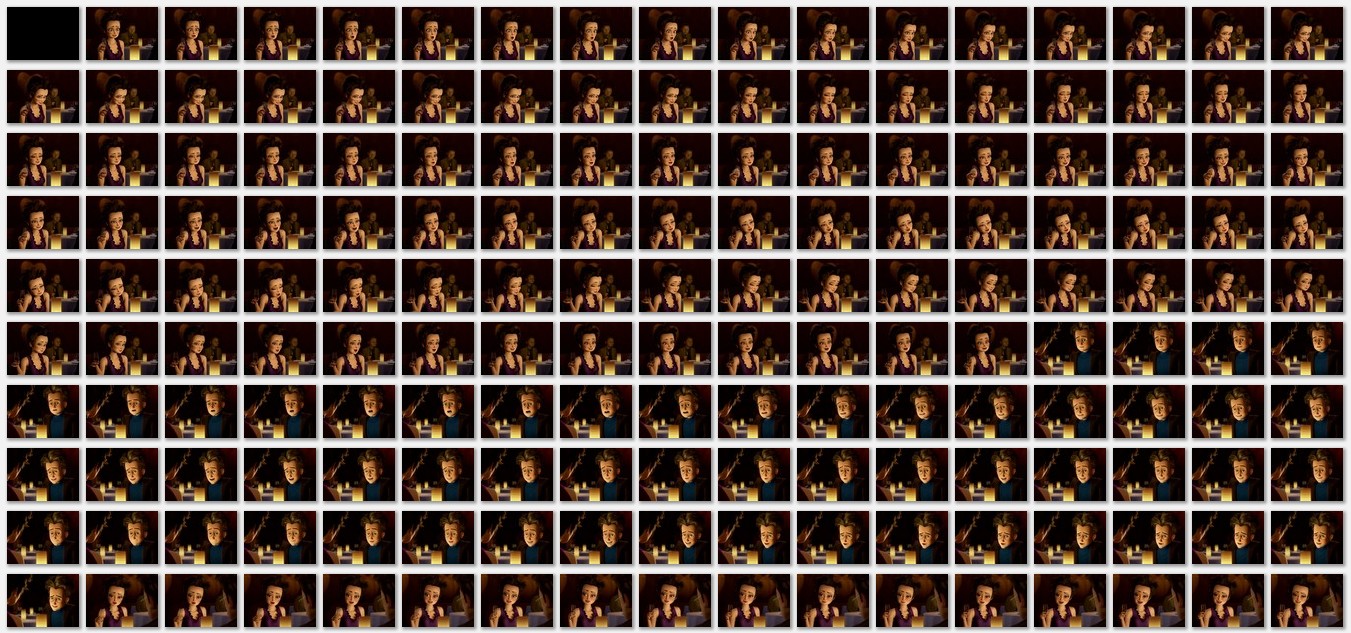
下圖是由OpenCV提供的sample video前半部份frame的截圖(點圖可放大)。


 逍遙文工作室
Comments on: "[OpenCV] 擷取視訊影像 (Extract Video Frames)" (13)
您好,請問擷取影片的影像,可以用Dev C++來操作嗎?
如果可以程式需要更改嗎?
讚讚
當然可以囉~程式碼跟IDE沒有直接關係,端視SDK版本,需不需要改就要看SDK版本差異囉!
讚讚
想請問一下…
關於在std::vector codes; 這一行
他說 Error 識別項"DataMatrixCode"未定義
想請問一下這個是要用CvDataMatrixCode嗎??
還有在findDataMatrix(gray, codes); 這一條
他會說codes這邊有錯誤說是Error型別
想請問您這個該如何解決呢??
讚讚
這個問題我沒遇過,可能要請你自己找答案〜
讚讚
這問題難倒我了(≧∇≦)
讚讚
我也是遇到相同的問題呢
讚讚
同樣問題+1 剛碰opencv新手不知該由何處下手XD
讚讚
std::vector codes; 改成 std::vector codes;
drawDataMatrixCodes(codes, frame); 這行注解掉 就可以動了。
讚讚
謝謝你熱心的回答^_^
讚讚
請問一下
我沒有看到 std::vector codes; 這一行耶
而且ChuBomb大大說
“std::vector codes; 改成 std::vector codes;"
這兩行不是一模一樣嗎?求解
讚讚
line29 std::vector codes; 改成std::vector codes;
line46 drawDataMatrixCodes(codes, frame); 註解掉
抱歉上次沒打清楚~你再試試看吧~我這樣用是可以跑
讚讚
感謝你再次幫忙回答! 😀
讚讚
ChuBomb大大,請問29行的
std::vector codes
我的會跳出需要有樣板引數清單
請問您有遇到此問題嗎?謝謝
讚讚