
示範varying variable如何在vertex和fragment shader間傳遞值,將頂點的位置之值指定給顏色當作值。
vertex shader程式碼:
//varying float xpos;
//varying float ypos;
//varying float zpos;
varying vec4 color;

void main(void)
{
  //xpos = clamp(gl_Vertex.x,0.0,1.0);
  //ypos = clamp(gl_Vertex.y,0.0,1.0);
  //zpos = clamp(gl_Vertex.z,0.0,1.0);
  color.xyzw = clamp(gl_Vertex.xyzw,0.0,1.0);

  gl_Position = gl_ModelViewProjectionMatrix * gl_Vertex.xyzw;
}
fragment shader程式碼:
//varying float xpos;
//varying float ypos;
//varying float zpos;
varying vec4 color;

void main (void)
{
   gl_FragColor = color;
   //gl_FragColor = vec4 (xpos, ypos, zpos, 1.0);
}
註解掉的程式碼也可以執行,但並不鼓勵那樣子做,還是一個步驟就把xyz座標設定好,效能較好。
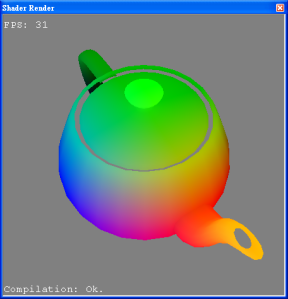
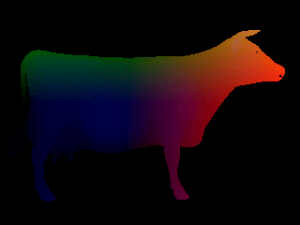
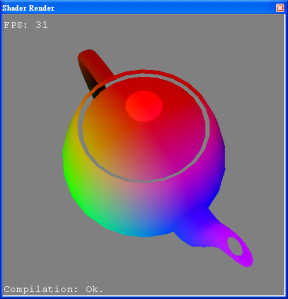
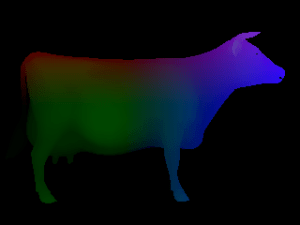
將gl_Vertex.xyzw改為gl_Vertex.yzxw則呈現:
Varying variables provide an interface between Vertex and Fragment Shader. Vertex Shaders compute values per vertex and fragment shaders compute values per fragment. If you define a varying variable in a vertex shader, its value will be interpolated (perspective-correct) over the primitve being rendered and you can access the interpolated value in the fragment shader.


 逍遙文工作室
Comments on: "[GLSL] Position Color" (1)
[…] 繼Position Color之後,Normal也可以當成Color,只要將xyz座標的範圍限制在[0,1],即可指定給color。 […]
讚讚