
寫程式與除錯,最簡單來檢查有無錯誤的方式,就是看Log,把想要知道的狀態給「列印」到控制台。
現在的需求是想知道用戶陸續做了什麼動作,我們也能透過Log來得知一二。
那麼如何在本機端建立Log檔案呢?其實就只是字串的處理,開檔、寫檔、關檔,原本我想要土法煉鋼,每次都讀取整個檔,陸續把Log寫到檔案最後面,最後覆蓋原檔儲存。
上述做法是可以做到,不過就會考量到萬一檔案大到好幾MB,讀取時間肯定會越來越長。想要解決這個議題,就想到我寫C/C++時的做法⋯⋯
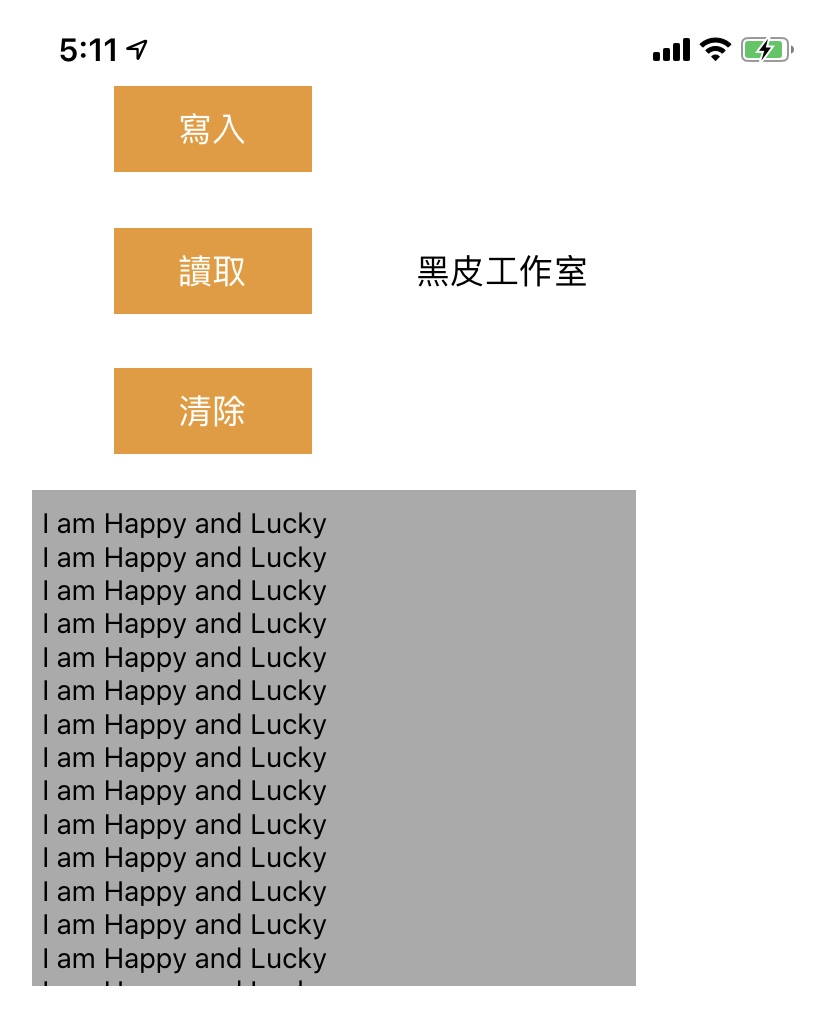
我試著建立三個按鈕,分別為寫檔、讀檔、清除,讀檔會將MyHappyLog.txt字串讀出,並在TextView顯示。
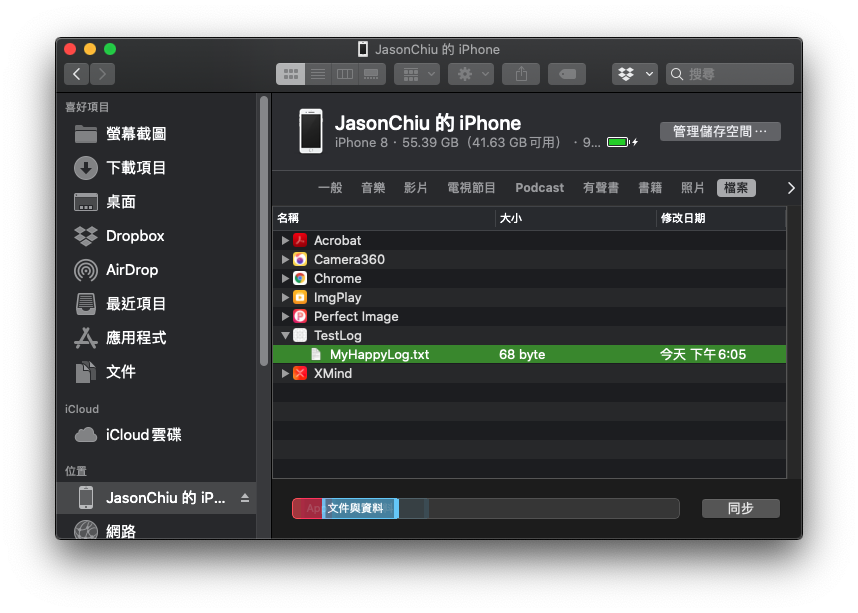
其實過去可以透過iTunes將手機App的檔案拉到電腦中查看,現在10.15.5作業系統Finder有相似的功能。
程式碼大致上如此:
/**
 Theme: Create Log File
 IDE: Xcode 11
 Language: Objective C
 Date: 108/06/01
 Author: HappyMan
 Blog: https://cg2010studio.com/
 */
-(IBAction)aButtonClicked:(UIButton *)button
{
    NSString *content = @"I am Happy and Lucky\n";

    // Get the file path
    NSString *documentsDirectory = [NSSearchPathForDirectoriesInDomains (NSDocumentDirectory, NSUserDomainMask, YES) objectAtIndex:0];
    NSString *fileName = [documentsDirectory stringByAppendingPathComponent:@"MyHappyLog.txt"];

    // Create file if it doesn't exist
    if(![[NSFileManager defaultManager] fileExistsAtPath:fileName])
        [[NSFileManager defaultManager] createFileAtPath:fileName contents:nil attributes:nil];

    // Append text to file (you'll probably want to add a newline every write)
    NSFileHandle *file = [NSFileHandle fileHandleForUpdatingAtPath:fileName];
    [file seekToEndOfFile];
    [file writeData:[content dataUsingEncoding:NSUTF8StringEncoding]];
    [file closeFile];
}

-(IBAction)bButtonClicked:(UIButton *)button
{
    // Get file path
    NSString *documentsDirectory = [NSSearchPathForDirectoriesInDomains (NSDocumentDirectory, NSUserDomainMask, YES) objectAtIndex:0];
    NSString *fileName = [documentsDirectory stringByAppendingPathComponent:@"MyHappyLog.txt"];

    // Read the whole file as a single string
    NSString *content = [NSString stringWithContentsOfFile:fileName encoding:NSUTF8StringEncoding error:nil];

    self.aTextView.text = content;
}

-(IBAction)cButtonClicked:(UIButton *)button
{
    // Get file path
    NSString *documentsDirectory = [NSSearchPathForDirectoriesInDomains (NSDocumentDirectory, NSUserDomainMask, YES) objectAtIndex:0];
    NSString *fileName = [documentsDirectory stringByAppendingPathComponent:@"MyHappyLog.txt"];

    // Clear file
    NSError *error;
    [@"" writeToFile:fileName atomically:YES encoding:NSUTF8StringEncoding error:&error];
}
接著在各個重要事件寫入對應的字串,並等設計師把畫面設計出來,可請用戶點擊某按鈕上傳Log檔。


 逍遙文工作室
隨意留個言吧:)~