
由於想要提早推播通知朋友生日,我必須取得取得行事曆的事件 (Get Event From Calendar)。
實際上我想知道資料回傳格式,如此能讓設計師規劃介面。
老實說,我沒在用內建的行事曆App,行事曆中的生日資料,是老早之前登入臉書帳號後,系統擷取回來加入。
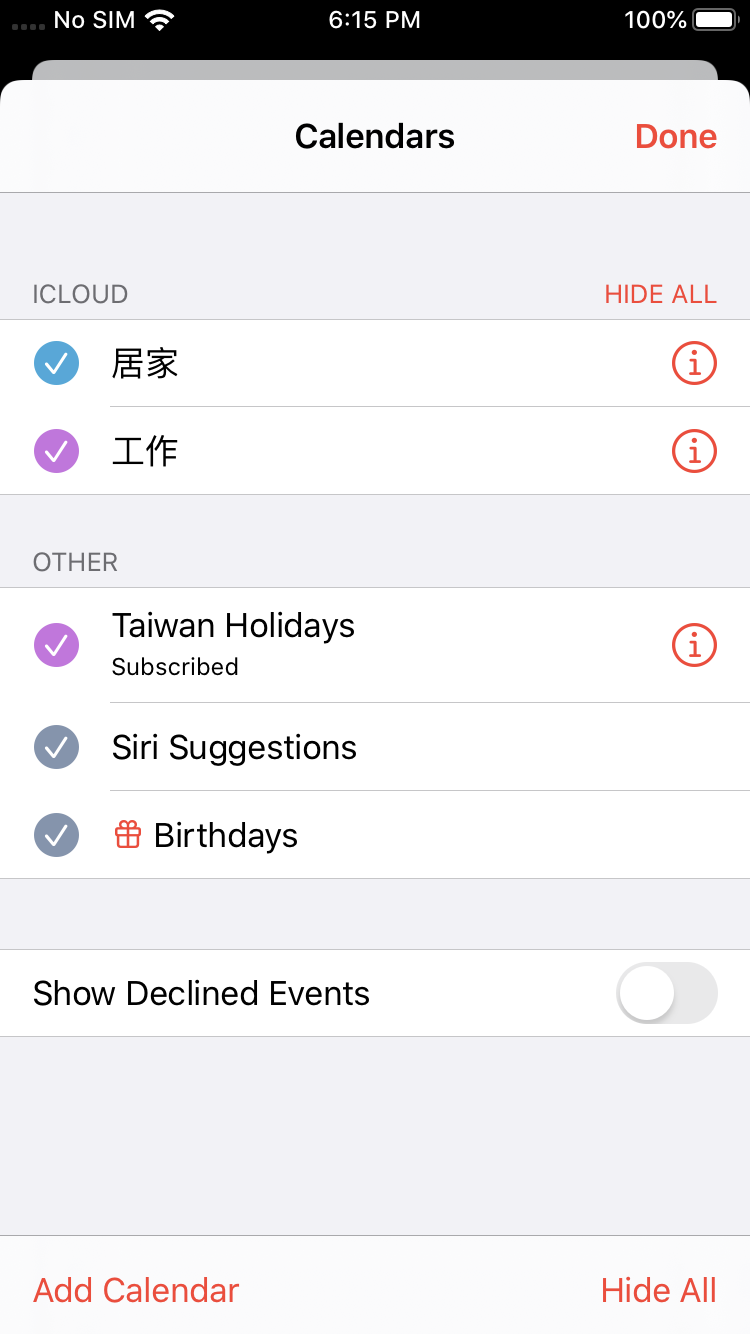
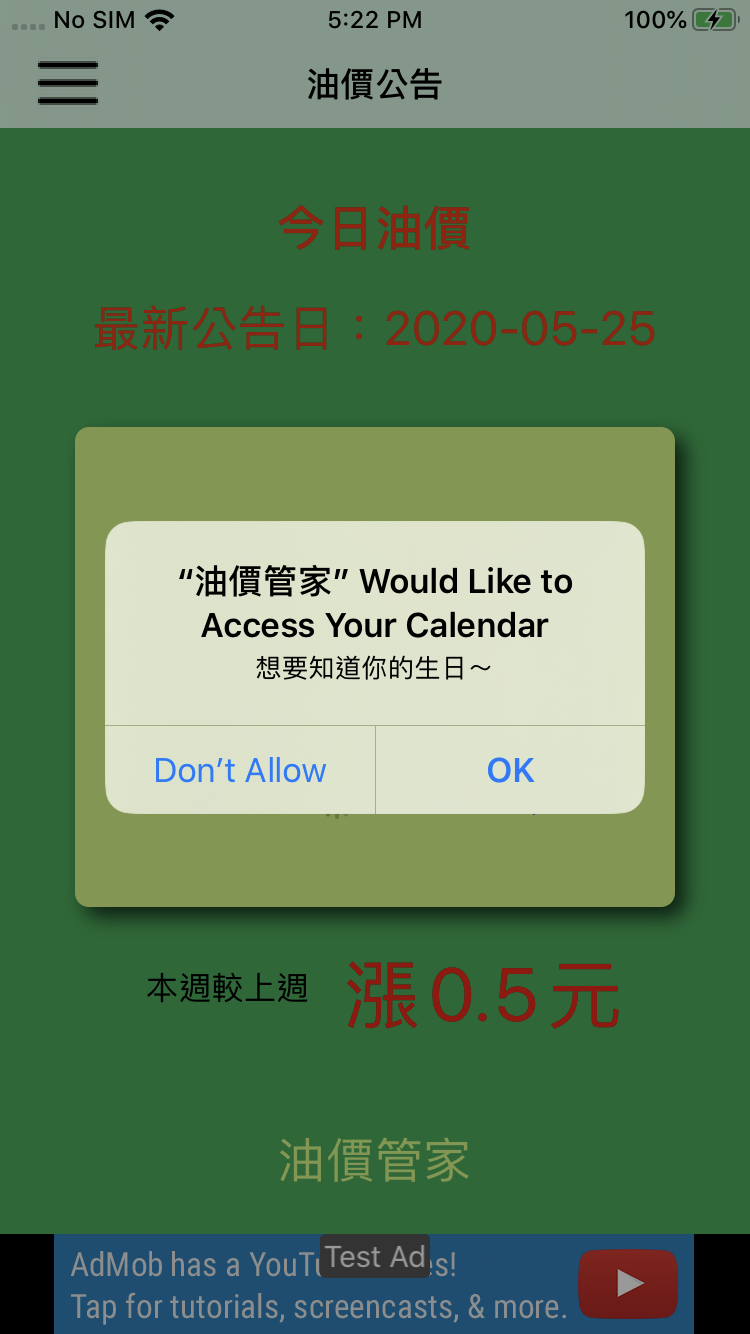
因為行事曆涉及個人隱私,必須得到用戶的授權,才能順利取得!而且開發者必須提示為何要取用行事曆,不然App崩潰給你看~
直接參照前人的教學,一個完整程式流程即能順利取得「生日事件」!
/**
 Theme: 取得行事曆的事件 (Get Event From Calendar)
 IDE: Xcode 11
 Language: Objective C
 Date: 108/05/26
 Author: HappyMan
 Blog: https://cg2010studio.com/
 */
-(void)getEventsFromCalendar
{
    EKEventStore *eventStore = [[EKEventStore alloc] init];
    EKSource *localSource = nil;
    for (EKSource *source in eventStore.sources){
    // 獲取iCloud源。這裡可以只通過日曆源的title來查找,不過加上對類型的檢查就是雙保險
       if (source.sourceType == EKSourceTypeCalDAV && [source.title isEqualToString:@"iCloud"]){
        // 把获取到的iCloud源保存起来
        localSource = source;
       }
    }

    EKCalendar *birthdayCalendar;
    for (EKCalendar *ekcalendar in [eventStore calendarsForEntityType:EKEntityTypeEvent]) {
    // 當然這裡也可以加上日曆源類型的檢查,像上面一樣的雙保險 calendar.type == EKCalendarTypeCalDAV
          if ([ekcalendar.title containsString:@"Birthday"] ) {
               birthdayCalendar = ekcalendar;
          }
    }

    NSCalendar *calendar = [NSCalendar currentCalendar];
    // 建立起始日期
    NSDateComponents *oneDayAgoComponents = [[NSDateComponents alloc] init];
    oneDayAgoComponents.day = -1;
    NSDate *oneDayAgo = [calendar dateByAddingComponents:oneDayAgoComponents
                                                  toDate:[NSDate date]
                                                 options:0];
    // 建立結束日期
    NSDateComponents *oneMonthFromNowComponents = [[NSDateComponents alloc] init];
    oneMonthFromNowComponents.month = 2;
    NSDate *oneMonthFromNow = [calendar dateByAddingComponents:oneMonthFromNowComponents
                                                       toDate:[NSDate date]
                                                      options:0];
    // 用事件庫的實例方法創建謂詞。表示 找出從當前時間前一天到當前時間的二個月後的時間範圍的所有typesArray裡類型的日曆事件
    NSPredicate *predicate = [eventStore predicateForEventsWithStartDate:oneDayAgo endDate:oneMonthFromNow calendars:@[birthdayCalendar]];
    NSArray *eventArray = [eventStore eventsMatchingPredicate:predicate];
}
接著實機測試,看能從我手機中獲得什麼樣的資料~
EKEvent <0x28358a5b0>
{
EKEvent <0x28358a5b0>
{ title = Mickey Chiang’s 30th Birthday;
location = (null);
calendar = EKCalendar <0x281d9c3c0> {title = Birthdays; type = Birthday; allowsModify = NO; color = #8295af;};
alarms = (null);
URL = (null);
lastModified = (null);
startTimeZone = (null);
startTimeZone = (null)
};
location = (null);
structuredLocation = (null);
startDate = 2020-06-04 16:00:00 +0000;
endDate = 2020-06-05 15:59:59 +0000;
allDay = 1;
floating = 1;
recurrence = EKRecurrenceRule <0x28249d360> RRULE FREQ=YEARLY;INTERVAL=1;
attendees = (null);
travelTime = (null);
startLocation = (null);
};,
看來只有Title和startDate或endDate最為基本可得!
另外,行事曆中有分別「日曆」的來源:
EKSource <0x28025c310> {UUID = 235223D6-26EC-40D6-AAA4-6E1F2BD2FE13; type = Subcribed; title = Subscribed Calendars; externalID = Subscribed Calendars}
Printing description of source:
EKSource <0x28025c3f0> {UUID = 16DCE4F6-6D04-4B74-A897-21E1093C2B13; type = CalDAV; title = iCloud; externalID = 16DCE4F6-6D04-4B74-A897-21E1093C2B13}
Printing description of source:
EKSource <0x28025c4d0> {UUID = BE47681A-4986-4363-B809-B0A576B336D2; type = Other; title = Other; externalID = (null)}
篩選出我們要的即可~


 逍遙文工作室
隨意留個言吧:)~