
隨著iPhone 6s和iPhone 6s +的發表,3D Touch功能開始展現其魅力,讓我們能夠在不開啟App時,就能決定開啟後要做什麼事情!透過在手機桌面上重壓App icon,將會跳出選單給使用者點擊。
跟先前發表的Force Touch不一樣的是,3D Touch能夠衡量按壓的程度。可以這麼解釋:前者只能0和1兩種狀態,後者則可以0-1隨意程度的數值。

首先要在專案中的info.plist設定key和value:

接著在AppDelegate.m做內建method:
/**
 Theme: Quick Action
 IDE: Xcode 7
 Language: Objective C
 Date: 105/07/08
 Author: HappyMan
 Blog: https://cg2010studio.wordpress.com/
 */

- (BOOL)application:(UIApplication *)application didFinishLaunchingWithOptions:(NSDictionary *)launchOptions {

    UIApplicationShortcutItem *shortcutItem = [launchOptions objectForKey:UIApplicationLaunchOptionsShortcutItemKey];
    if(shortcutItem){
        [self handleShortCutItem:shortcutItem];
    }
    return YES;
}

-(void)application:(UIApplication *)application performActionForShortcutItem:(UIApplicationShortcutItem *)shortcutItem completionHandler:(void (^)(BOOL))completionHandler
{
    if([shortcutItem.type isEqualToString:@"com.happystudio"]){
        [self handleShortCutItem:shortcutItem];
    }
}

- (void)handleShortCutItem:(UIApplicationShortcutItem *)shortcutItem  {
    if([shortcutItem.type isEqualToString:@"com.happystudio"]){
        UIAlertView *av = [UIAlertView bk_alertViewWithTitle:@"放颱風假!"];
        [av bk_addButtonWithTitle:@"好" handler:^{

        }];
        [av show];
    }
}
若App第一次開啟,會經過didFinishLaunchingWithOptions,再經過performActionForShortcutItem;若App從背景被喚醒,則只會經過performActionForShortcutItem。
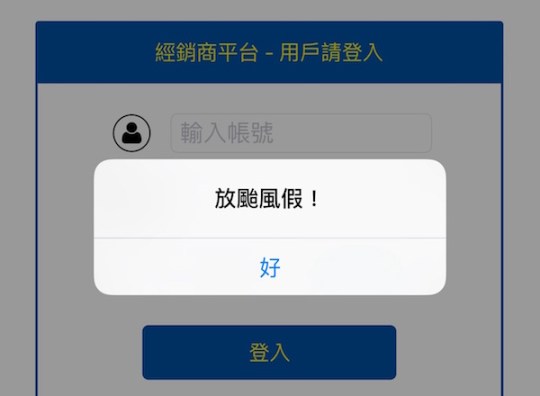
編譯執行後,回到桌面重壓App icon,進去App後便會觸發事件,在此我讓它跳出提示!
註:Force Touch是Apple用於Apple Watch、全新MacBook 以及全新MacBook Pro的觸摸傳感技術。3D Touch則是Force Touch延伸出的新技術,首次用於iPhone 6s、iPhone 6s+。
參考:3D Touch Introduction: Building a Digital Scale App and Quick Actions。


 逍遙文工作室
隨意留個言吧:)~