
我們想要觀察或追蹤使用者,來提供符合其需求的服務,無論使用者登入與否,我們皆能掌握其動態。甚至使用者想要聯繫客服,也變得相當方便簡單。
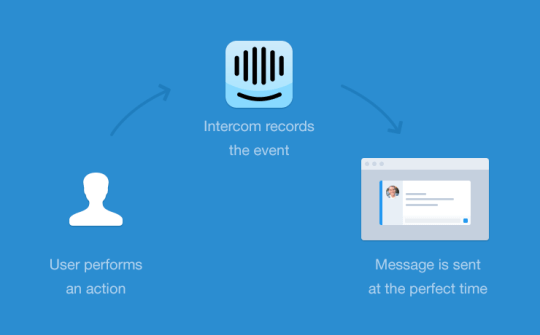
可以想像這樣的情境,當使用者對某頁面感到疑惑,我們在後台看到他停留許久,此時就能推送關心提示,讓他能順利完成需求!
Intercom 客戶溝通平台與其它服務不同的地方在於註冊,在其網站上一開始不會給你註冊,然而會讓你先填入且回傳Email,接著你才能進去看sample code。
進入後可選擇平台,你便會看到iOS平台如何撰寫程式碼,來測試其是否能運作。
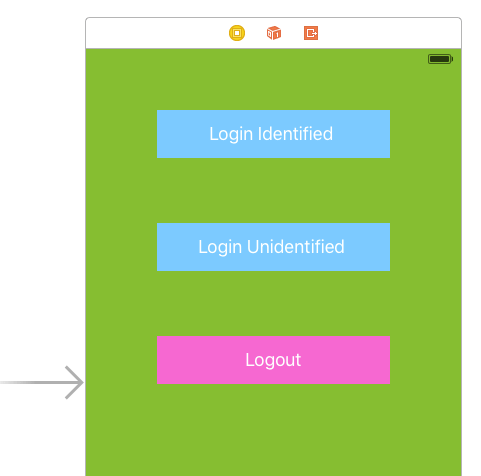
在此,建立新專案後,我用Cocoapods下載Intercom。而我先這樣設計畫面,有三個按鈕分別觸發識別登入、非識別登入、登出。
/**
 Theme: Intercom Test
 IDE: Xcode 7
 Language: Objective C
 Date: 105/02/01
 Author: HappyMan
 Blog: https://cg2010studio.wordpress.com/
 */

// AppDelegate.m
#import "Intercom/intercom.h"
- (BOOL)application:(UIApplication *)application didFinishLaunchingWithOptions:(NSDictionary *)launchOptions {
    // Initialize Intercom
    [Intercom setApiKey:@"ios_sdk-2f86a0cb00c16e65d836c5907dccd05170e7fa49" forAppId:@"vlf6ca75"];

    return YES;
}

// ViewController.m
#import "Intercom/intercom.h"
-(IBAction)loginIdentifiedButtonClicked:(UIButton *)button
{
    [Intercom registerUserWithUserId:@"HappyBoy"];
}

-(IBAction)loginUnidentifiedButtonClicked:(UIButton *)button
{
    [Intercom registerUnidentifiedUser];
}

-(IBAction)logoutButtonClicked:(UIButton *)button
{
    // ...
    // This resets the Intercom for iOS cache of your users’ identities
    // and wipes the slate clean.
    [Intercom reset];
    // Now that you have logged your user out and reset, you can
    // register a new unidentified user in their place.
    [Intercom registerUnidentifiedUser];
}
編譯執行後點擊Login Identified,便會跳出恭喜提示,表示你通過Intercom的使用資格,接著去先前填入且回傳Email信箱,就會發現有個連結,點擊進入填寫帳號基本資料,之後便會看到後台介面。
![[iOS] Intercom 客戶管理平台2](https://cg2010studio.com/wp-content/uploads/2016/02/ios-intercom-e5aea2e688b6e7aea1e79086e5b9b3e58fb02.jpg?w=540&h=960)
後台真的就出現我剛才的測試資料HappyBoy!若以非識別登入,則會隨機幫你取名字。
![[iOS] Intercom 客戶管理平台3](https://cg2010studio.com/wp-content/uploads/2016/02/ios-intercom-e5aea2e688b6e7aea1e79086e5b9b3e58fb03.png?w=540)
我們便會知道來客的最新時間、註冊時間、所在城市等等資訊。


 逍遙文工作室
隨意留個言吧:)~