
有時候我們需要從網頁中獲得回傳資料,比如使用WebView來輸入帳密,成功登入後會回傳token,之後我們需要此token來呼叫相關API,以取得此帳密的相關資訊。
這麼做是想提高安全性,所輸入的帳密不想給App知曉,透過Web輸入後回傳字面上沒啥意義的token給App,而這個token是有效期限,一段時間過後便需要再取得一次,下次取得的token跟上次不一樣,以保護真實帳密資訊。
使用方式很簡單,建立一個WebView,載入目標網頁,並實作delegate,待網頁載入完畢,即可解析出網頁中Javascript回傳值。
/**
 Theme: Get Value from WebView
 IDE: Xcode 6
 Language: Objective C
 Date: 104/04/08
 Author: HappyMan
 Blog: https://cg2010studio.wordpress.com/
 */
- (void)viewDidLoad
{
    [super viewDidLoad];

    [self.displayWebView loadRequest:[NSURLRequest requestWithURL:[NSURL fileURLWithPath:[[NSBundle mainBundle] pathForResource:@"happytest" ofType:@"html"]isDirectory:NO]]];
}

#pragma mark -
#pragma mark - UIWebViewDelegate

-(void)webViewDidFinishLoad:(UIWebView *)webView
{
    NSString *information = [self.displayWebView stringByEvaluatingJavaScriptFromString:@"happyFunction()"];
    NSLog(@"Web response: %@", information);
}
測試時我們要自行準備檔案放在專案下,並命名為happytest.html,內容如下:
<html>
    <head></head>
    <body>
        Just Happy Test...
        <script type="text/javascript">
            function happyFunction() {
                alert("Happy Alert!!");
                return "I need the information";
            }
        </script>
    </body>
</html>
編譯執行後畫面~
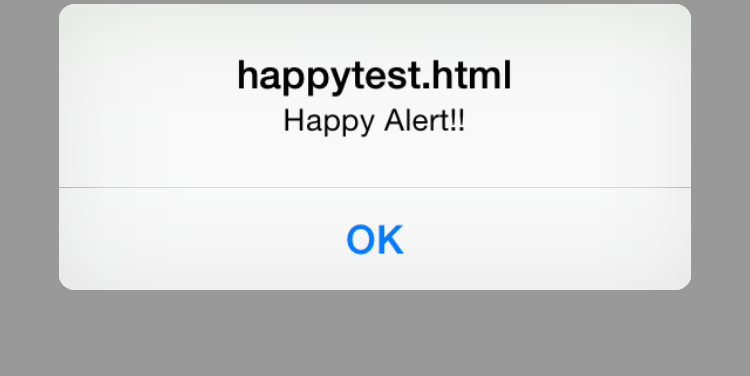
首先會跳出提示

載入完畢後顯示
列印出來的文字,也就是我們想取得的資訊:
Web response: I need the information
更新:
iOS 7之後有更好的做法,可參考文章:Objective C與Javascript的溝通。


 逍遙文工作室
Comments on: "[iOS] 從WebView取得回傳值 (Get Value from WebView)" (1)
現在寫加密 WebView,要取得 App 登入 Token,需要用到~🙃
讚讚