
有時候我們想要使用自定字型 (Using Self-Defined Font),因為系統中卻沒有我們想要的字型,這時候可以怎麼做呢?那就自己把字型匯進去專案,做些設定就可以使用了!

我們想要的字型效果!
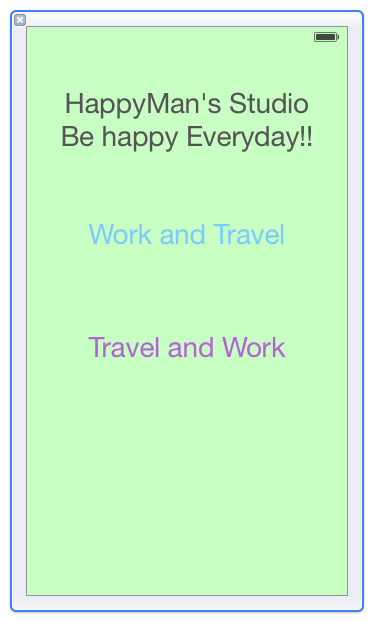
在Xcode中IB所看到的預設畫面~
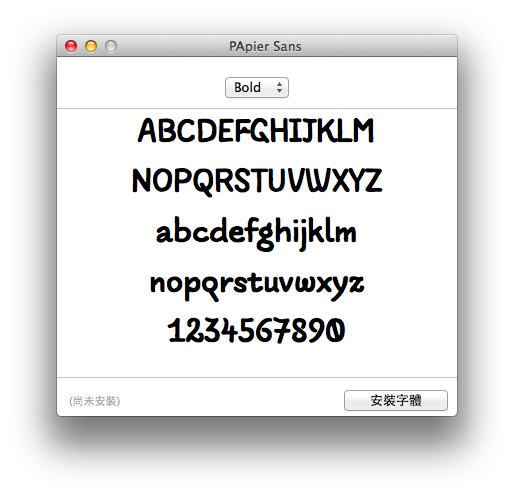
此字型為PApierSans-Bold。
首先將三個.otf檔匯入專案。

接著在Info.plist設定Fonts provided by application~

一切都設定好,寫程式碼就相當簡單啦~因為沒辦法在IB上設定我們加進去的字型,所以就用code去設定吧!
/**
 Theme: Using Self-Defined Font
 IDE: Xcode 5
 Language: Objective C
 Date: 103/06/20
 Author: HappyMan
 Blog: https://cg2010studio.wordpress.com/
 */

- (void)viewDidLoad
{
    [super viewDidLoad];
    for (NSString* family in [UIFont familyNames])
    {
        NSLog(@"%@", family);
        for (NSString* name in [UIFont fontNamesForFamilyName: family])
        {
            NSLog(@" %@", name);
        }
    }
    self.textLabel.font = [UIFont fontWithName:@"PApierSans-Bold" size:40];
    self.text2Label.font = [UIFont fontWithName:@"PApierSans-Italic" size:40];
    self.text3Label.font = [UIFont fontWithName:@"PApierSans-Regular" size:40];
}
會看到列出系統中可以使用的字型,在此節錄我們加進去的字型名稱:
.
.
Apple Color Emoji
AppleColorEmoji
PApier Sans
PApierSans-Italic
PApierSans-Bold
PApierSans-Regular
Savoye LET
SavoyeLetPlain
.
.
記住想要使用的字型名稱,就可以拿來設定了!
執行編譯之後,就能看到文章首圖的效果!
160316更新:Xcode 7已能在IB上選擇自行套用喔!
參考:在iOS中使用icon font。


 逍遙文工作室
隨意留個言吧:)~