
從網路下載影像,接著顯示在螢幕上,乍聽之下很簡單,卻隱含著許多「眉角」。基於影像容量以及網路速度考量,為了不讓UI卡住,我們勢必得把下載的工作放到非主線程上,在這裡我們叫它為非同步下載影像,一旦下載完畢,回到主線程顯示到螢幕上。
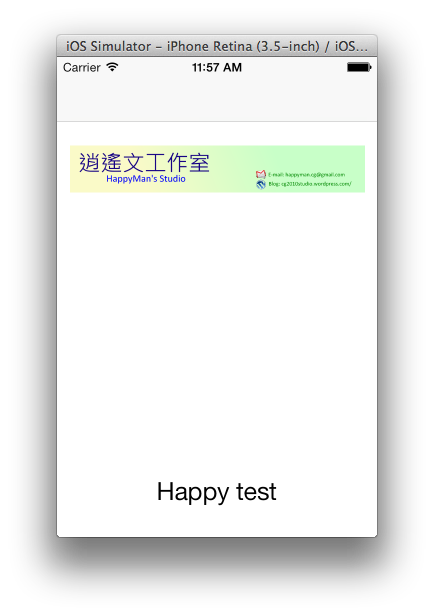
這裡我們想知道是否在main queue裡,還有我們當前處在的queue其優先權的大小。
/**
 Theme: Get Image Async
 IDE: Xcode 5
 Language: Objective C
 Date: 102/12/24
 Author: HappyMan
 Blog: https://cg2010studio.wordpress.com/
 */
-(void)getImageAsyncFromURLString
{
    NSLog(@"isMainThread: %d",[NSThread isMainThread]);
    NSLog(@"threadPriority: %f",[NSThread threadPriority]);
    NSString *url = @"https://cg2010studio.com/wp-content/uploads/2011/12/ban5.png";
    dispatch_async(dispatch_get_global_queue(DISPATCH_QUEUE_PRIORITY_HIGH, 0), ^{
        NSLog(@"isMainThread2: %d",[NSThread isMainThread]);
        NSLog(@"threadPriority2: %f",[NSThread threadPriority]);
        NSData *data = [NSData dataWithContentsOfURL:[NSURL URLWithString:url]];
        if (data) {
            dispatch_async(dispatch_get_main_queue(), ^{
                NSLog(@"isMainThread3: %d",[NSThread isMainThread]);
                NSLog(@"threadPriority3: %f",[NSThread threadPriority]);
                UIImage *image = [UIImage imageWithData:data];
                [self.imageView setImage:image];
            });
        }
    });
}
執行結果:
isMainThread: 1
threadPriority: 0.758065
isMainThread2: 0
threadPriority2: 0.532258
isMainThread3: 1
threadPriority3: 0.758065
其實也可以從中斷點來得知,當前的queue是在第幾條thread上跑~第一條是main thread,其餘都是非main thread。
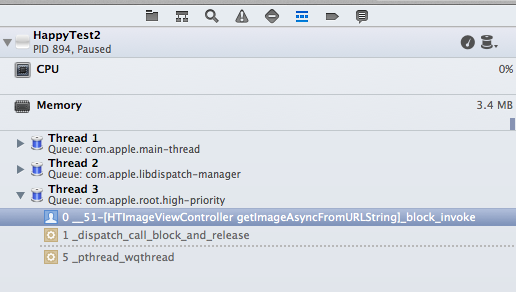
中斷在第15行程式,當前的queue是在第3條thread上跑,而且還知道中段在哪個方法裡
這裡我們很好奇threadPriority,那麼就一一來列出四種佇列的優先權:
- DISPATCH_QUEUE_PRIORITY_BACKGROUND:0
- DISPATCH_QUEUE_PRIORITY_DEFAULT:0.5
- DISPATCH_QUEUE_PRIORITY_LOW:0.467742
- DISPATCH_QUEUE_PRIORITY_HIGH:0.532258
看來main queue的優先權是最高的!那我很好奇⋯⋯threadPriority為1的是誰?


 逍遙文工作室
隨意留個言吧:)~