
在按鈕中設定影像,影像預設位置為置中,那如果我想要偏左或偏右,該怎麼做呢?
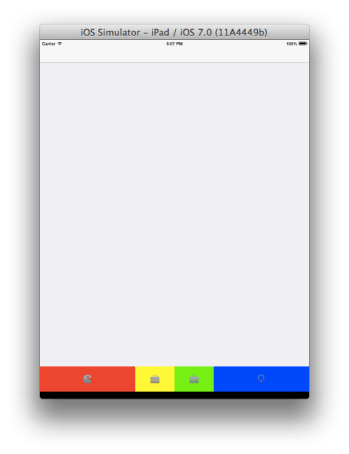
我這裡要展示四個按鈕,按鈕圖案要聚集在中間,也就是最左邊和最右邊要擠的幅度最大~
NSInteger offset = 80;
		for (int i = 0; i < [imageArray count]; i++)
		{
			btn = [UIButton buttonWithType:UIButtonTypeCustom];
//			btn.showsTouchWhenHighlighted = YES;
			btn.tag = i;
if (i == 0) {
btn.frame = CGRectMake(width * i, 0, width + offset, frame.size.height);
btn.backgroundColor = [UIColor redColor];
//                btn.contentHorizontalAlignment = UIControlContentHorizontalAlignmentRight;
btn.imageEdgeInsets = UIEdgeInsetsMake(0, 170, 0, 0);
}
else if (i == 1) {
btn.frame = CGRectMake(width * i + offset, 0, width - offset, frame.size.height);
btn.backgroundColor = [UIColor yellowColor];
}
else if (i == 2) {
btn.frame = CGRectMake(width * i, 0, width - offset, frame.size.height);
btn.backgroundColor = [UIColor greenColor];
}
else if (i == 3) {
btn.frame = CGRectMake(width * i - offset, 0, width + offset, frame.size.height);
btn.backgroundColor = [UIColor blueColor];
//                btn.contentHorizontalAlignment = UIControlContentHorizontalAlignmentLeft;
btn.imageEdgeInsets = UIEdgeInsetsMake(0, 0, 0, 170);
}
			[btn setImage:[imageArray objectAtIndex:i] forState:UIControlStateNormal];
			[btn setImage:[hightlightImageArray objectAtIndex:i] forState:UIControlStateHighlighted];
			[btn setImage:[hightlightImageArray objectAtIndex:i] forState:UIControlStateSelected];
			[btn addTarget:self action:@selector(tabBarButtonClicked:) forControlEvents:UIControlEventTouchUpInside];
btn.selected = NO;
btn.highlighted = NO;
			[self.buttons addObject:btn];
			[self addSubview:btn];
		}
}
分別測試contentHorizontalAlignment和imageEdgeInsets的效果~
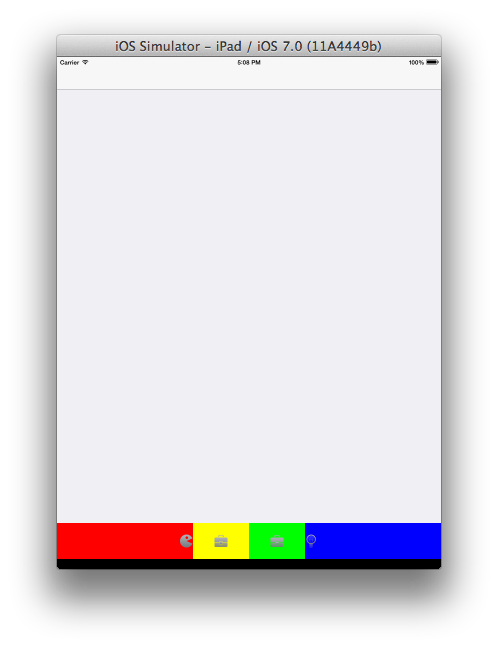
使用contentHorizontalAlignment。
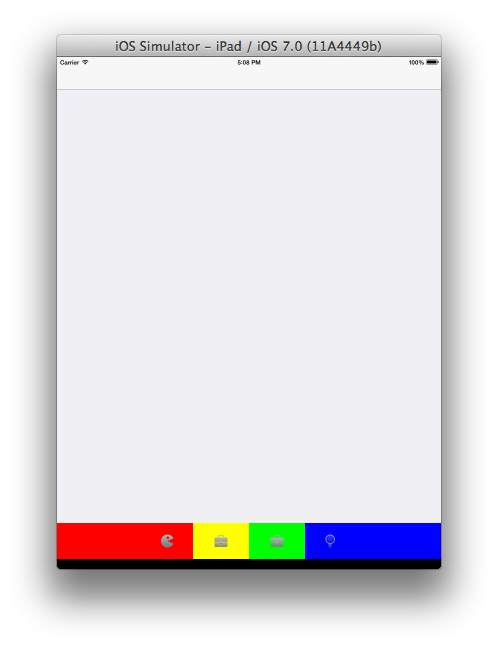
使用imageEdgeInsets。
一些常用功能都已有API可直接拿來使用,所以盡量去挖掘和瞭解吧~如此可以節省由自己來寫的時間:)~
參考:UIButton: how to center an image and a text using imageEdgeInsets and titleEdgeInsets?。


 逍遙文工作室
隨意留個言吧:)~