
在了解雙邊濾波器 (Bilateral Filter)理論之後,來試驗程試跑出來的效果。比起其它影像模糊化 (Image Smoothing)的方法,雙邊濾波器執行時間較長然模糊效果較佳!我所使用的筆電跑本程式每張圖約2.5分鐘。
此程式分為三個檔案,需建立專案來編譯執行。環境建置可參考Dev-C++4.9.9.2 安裝 OpenCV 2.0。
main.cpp
/**
	Theme: Bilateral Filter
	compiler: Dev C++ 4.9.9.2
	Library: OpenCV 2.0
	Date: 101/10/14
	Author: HappyMan
	Blog: https://cg2010studio.wordpress.com/
*/
#include "cv.h"
#include "cxcore.h"
#include "highgui.h"
#include "BilateralFilter.h"

void displayImage(char * winName, IplImage* image){
	cvNamedWindow(winName, 1);
	cvShowImage(winName, image);
}

int main()
{
	char *filename = "night.jpg";
	IplImage *oimage = cvLoadImage(filename);

	displayImage("original", oimage);

	double spacestdv = 10;
	double rangestdv = 6;
	BilateralFilter *bilateral = new BilateralFilter(oimage, spacestdv, rangestdv);
	IplImage *bilateralImage = bilateral->runFilter();

	displayImage("bilateral", bilateralImage);
	cvSaveImage("bilateral.jpg", bilateralImage);

	cvWaitKey(0);
	return 0;
}
BilateralFilter.h
#include "cv.h"
#include "cxcore.h"

class BilateralFilter{
public:
        IplImage * image;
        IplImage * rimage ;

        double kernelRadius;
        double ** kernelD;
        double *gaussSimilarity;

        BilateralFilter(IplImage *image,double sigmaD, double sigmaR);
        IplImage * runFilter();
        void apply(int i,int j);
        bool isInsideBoundaries(int m,int n);
        double similarity(int p,int s);
        double gauss(double sigma,int x, int y);
        double BilateralFilter::getSpatialWeight(int m, int n,int i,int j);
};
BilateralFilter.cpp
#include "BilateralFilter.h"
#include <math.h>

int max(int num1, int num2){
    if(num1>num2)
        return num1;
    else
        return num2;
}
int getValue(IplImage * image,int i,int j){
    CvScalar pixel = cvGet2D(image,i,j);
    int pixelValue = pixel.val[0];
    return pixelValue;
}
BilateralFilter::BilateralFilter(IplImage *image,double sigmaD, double sigmaR){
    this->image = cvCloneImage(image);
    int sigmaMax = max(sigmaD, sigmaR);
    this->kernelRadius = ceil((double)2 * sigmaMax);

    double twoSigmaRSquared = 2 * sigmaR * sigmaR;

    int kernelSize = this->kernelRadius * 2 + 1;

    kernelD = new double*[kernelSize];
    for(int i=0; i<kernelSize;i++){
        kernelD[i] = new double[kernelSize];
    }
    int center = (kernelSize - 1) / 2;
    for(int x = -center; x < -center + kernelSize; x++){
        for (int y = -center; y < -center + kernelSize; y++){
            kernelD[x + center][y + center] = this->gauss(sigmaD, x, y);
        }
    }
    gaussSimilarity = new double[256];
    for(int i = 0; i < 256; i++){
        gaussSimilarity[i] = exp((double)-((i) / twoSigmaRSquared));
    }
    rimage = cvCloneImage(image);
}
	IplImage * BilateralFilter::runFilter(){
    for(int i=0;i<rimage->height;i++){
        for(int j=0;j<rimage->width;j++){
            apply(i,j);
        }
    }
    return rimage;
}
double BilateralFilter::getSpatialWeight(int m, int n,int i,int j){
    return kernelD[(int)(i-m + kernelRadius)][(int)(j-n + kernelRadius)];
}
void BilateralFilter::apply(int i, int j) {// ~i=y j=x
    if(i>0 && j>0 && i<image->height && j< image->width){
        double sum = 0;
        double totalWeight = 0;
        int intensityCenter = getValue(image,i,j);

        int mMax = i + kernelRadius;
        int nMax = j + kernelRadius;
        double weight;

        for (int m = i-kernelRadius; m < mMax; m++){
            for (int n = j-kernelRadius; n < nMax; n++){
                if (this->isInsideBoundaries(m, n)){
                    int intensityKernelPos = getValue(image,m,n);
                    weight = getSpatialWeight(m,n,i,j) * similarity(intensityKernelPos,intensityCenter);
                    totalWeight += weight;
                    sum += (weight * intensityKernelPos);
                }
            }
        }
        int newvalue=(int)floor(sum / totalWeight);

        CvScalar pixel;
        pixel.val[0]= newvalue;
        pixel.val[1]=newvalue;
        pixel.val[2]=newvalue;
        cvSet2D(rimage,i,j,pixel);
    }
}
double BilateralFilter::similarity(int p, int s){
    // this equals: Math.exp(-(( Math.abs(p-s)) /  2 * this->sigmaR * this->sigmaR));
    // but is precomputed to improve performance
    return this->gaussSimilarity[abs(p-s)];
}
double BilateralFilter::gauss (double sigma, int x, int y){
    return exp(-((x * x + y * y) / (2 * sigma * sigma)));
}
bool BilateralFilter::isInsideBoundaries(int m,int n){
    if(m>-1 && n>-1 && m<image->height && n <image->width)
        return true;
    else
        return false;
}
有兩個參數可作調整:
- space
- range
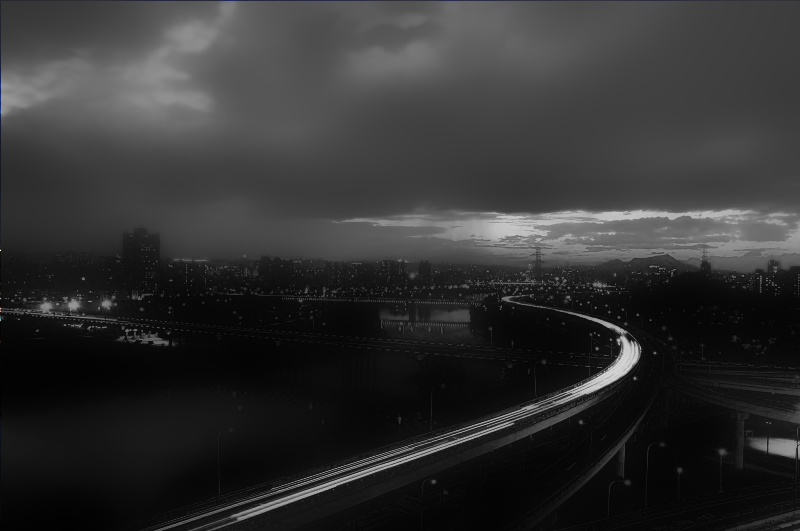
我使用宿舍頂樓美麗的夜景做為例子~

space = 10;color= 1
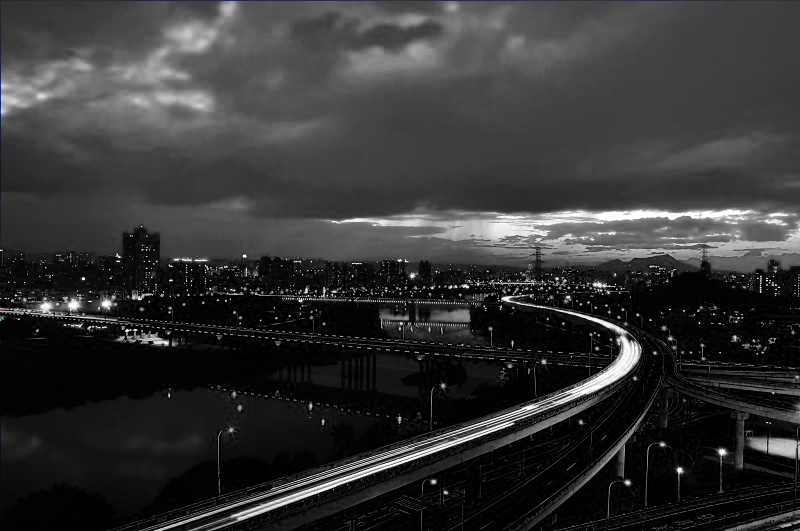
space = 10;color= 6
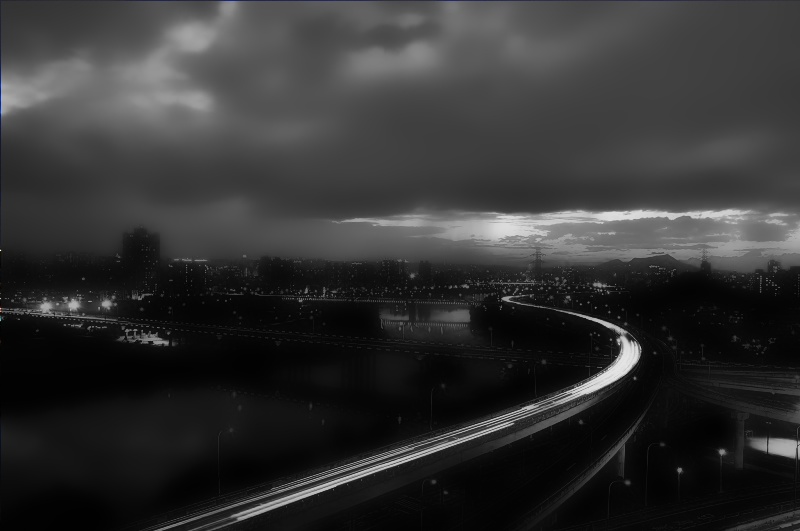
space = 10;color= 15
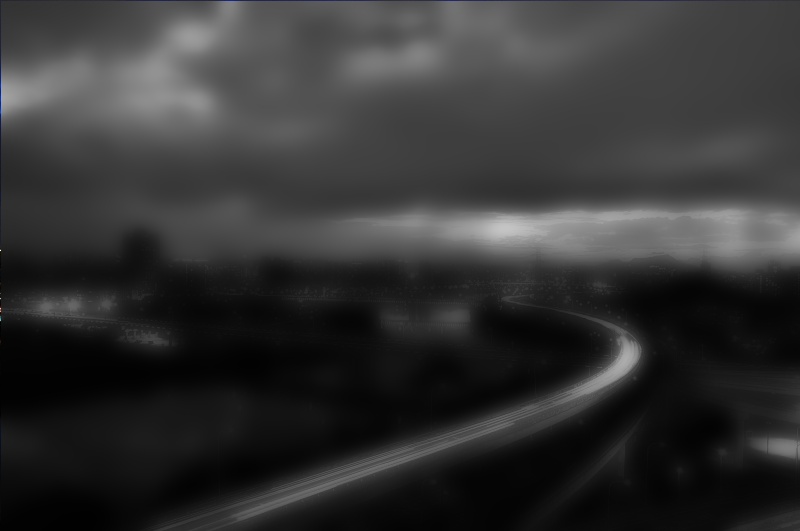
space = 1;color= 6
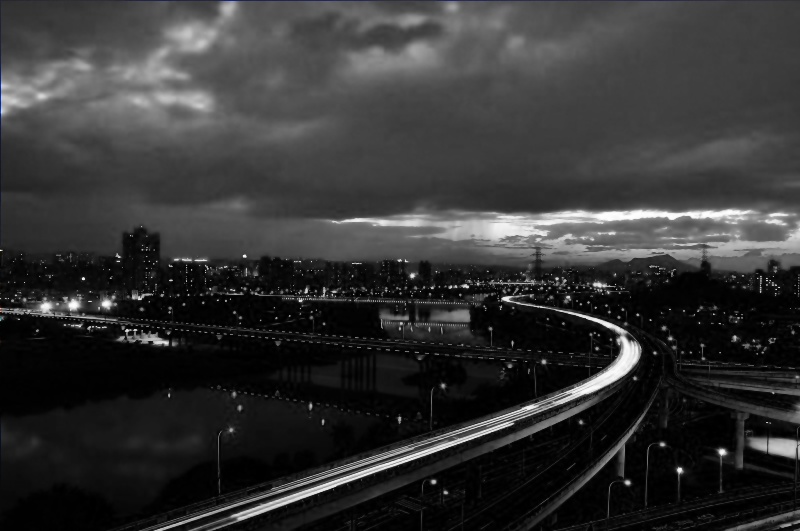
space = 20;color= 6
參考:bilateralfilter – A bilateral filter version written in C++、【OpenCV】鄰域濾波:方框、高斯、中值、雙邊濾波。


 逍遙文工作室
Comments on: "[OpenCV] 雙邊濾波器 (Bilateral Filter)" (6)
你好,關於這個程式我有個小問題,
OpenCV bilateral filter function 的參數應該有三項 kernel size, sigmaD, sigmaC
但是你所貼的 OpenCV 中的bilateral code 似乎user 不能決定 kernel size ?
而是由 sigmaD, sigmaC 來決定,這樣的作法是有其根據嗎?
讚讚
先生你好,
感謝您對雙邊濾波器的清楚介紹,有了程式碼對照,讓人能更容易的了解雙邊濾波器的概念。想請教您一個問題:
在BilateralFilter.cpp的第36行
gaussSimilarity[i] = exp((double)-((i) / twoSigmaRSquared));
^
這邊的i是否為i^2的筆誤呢?
讚讚
gaussSimilarity[i] = exp((double)-((i) / twoSigmaRSquared));
^
讚讚
呵~被你發現了,仔細觀察一下公式和下方程式碼,確實要平方才是。其實上頭的程式碼是OpenCV中的檔案得來,不知道跑出來的圖會差多少? 😀
讚讚
應該無傷大雅
目前OpenCV也有提供bilateral filter的函式
http://docs.opencv.org/modules/imgproc/doc/filtering.html?highlight=bilateralfilter#bilateralfilter
再次感謝您的解說,有空會多看幾篇文章學習學習!
讚讚
謝謝你的讚賞,也感謝你來看我的筆記,我也還有許多要學習的地方,有空的時候會盡可能地分享出來,能幫助到需要的人也是我始料未及的~ 🙂
讚讚