
雖然標題名為色彩反轉 (Invert Color),在這裡我要展示兩個函式如何使用,也就是cvLUT和cvSetData。
什麼是LUT?
其實是指顯示查找表(Look-Up-Table),LUT實際上就是一張像素灰度值的映射表,它將實際採樣到的像素灰度值經過一定的變換如閾值、反轉、二值化、對比度調整、線性變換等,變成了另外一個與之對應的灰度值,這樣可以起到突出圖像的有用信息,增強圖像的光對比度的作用。
簡單來說,就是一個值丟進一個函數而變成另一個值,好比f(x)=y。
那為什麼要使用LUT呢?
這是因為要節省計算的成本,畢竟我們一張圖RGB每個通道像素的值介於[0, 255],我們只要事先計算這256個值出來,整張影像中每個像素就可以直接查表得出相對應的值。
譬如512×512的影像,以一個通道(R、G或B)來說,若不使用LUT,你就要計算512×512這麼多次,而大部份的結果值是重複運算得來的,可說是浪費相當多的計算資源。
測試用程式碼:
/**
	Theme: Invert Color
	Compiler: Dev C++ 4.9.9.2
	Library: OpenCV 2.0
	Date: 101/10/09
	Author: HappyMan
	Blog: https://cg2010studio.wordpress.com/
*/
#include <cv.h>
#include <highgui.h>
using namespace std;

int main(){
    IplImage *src_image = 0 , *dst_image = 0;
    CvMat *lut_mat;
    lut_mat = cvCreateMatHeader(1, 256, CV_8UC1);
    uchar lut[256];
    for (int i = 0; i < 256; i++){
        lut[i] = 255 - i;
    }
    src_image = cvLoadImage("night.jpg");
    dst_image = cvCloneImage(src_image);
    cvSetData(lut_mat, lut, 0);
    cvLUT(src_image, dst_image, lut_mat);
    cvNamedWindow("src_image", 1);
    cvNamedWindow("dst_image", 1);
    cvShowImage("src_image", src_image);
    cvShowImage("dst_image", dst_image);
    cvWaitKey(0);
    cvReleaseImage(&src_image);
    cvReleaseImage(&dst_image);
    return 0;
}
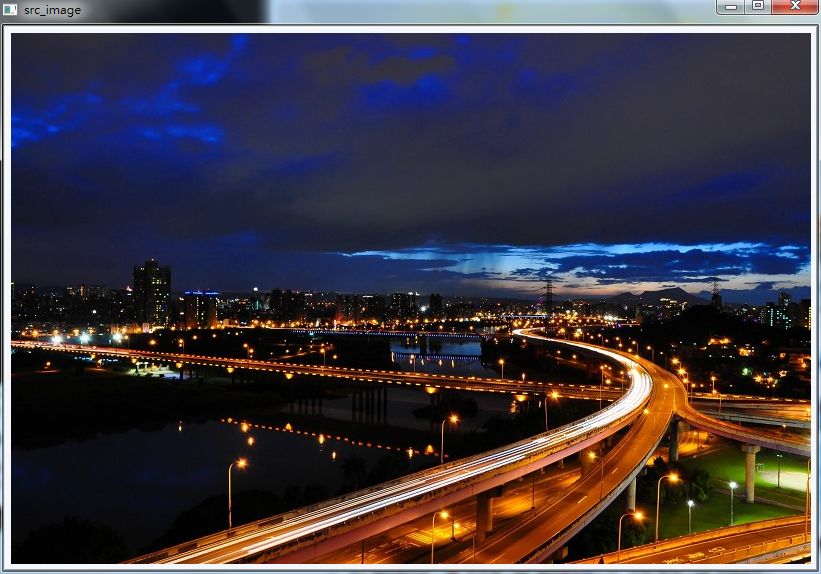
原始圖:
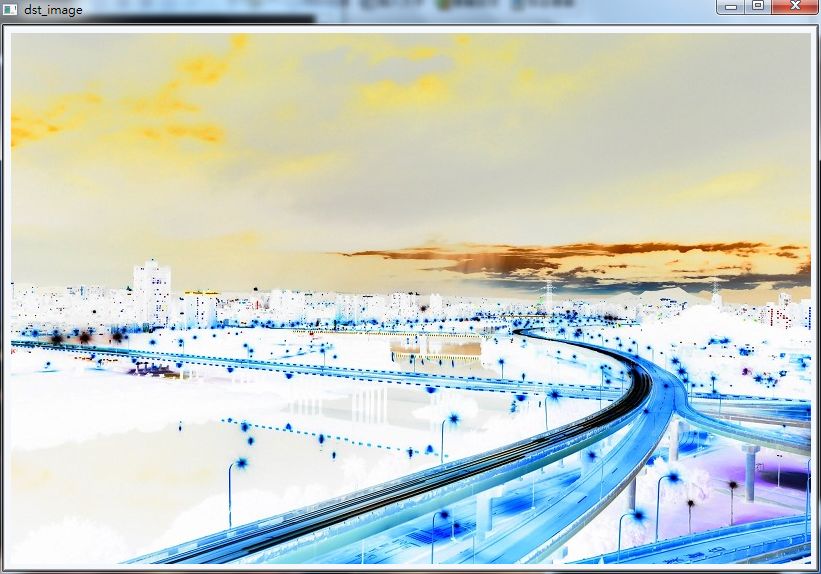
結果圖:
- void cvLUT(const CvArr* src, CvArr* dst, const CvArr* lut)
- Performs a look-up table transform of an array.
Parameters: - src – Source array of 8-bit elements
- dst – Destination array of a given depth and of the same number of channels as the source array
- lut – Look-up table of 256 elements; should have the same depth as the destination array. In the case of multi-channel source and destination arrays, the table should either have a single-channel (in this case the same table is used for all channels) or the same number of channels as the source/destination array.
The function fills the destination array with values from the look-up table. Indices of the entries are taken from the source array. That is, the function processes each element of src.
- void cvSetData(CvArr* arr, void* data, int step)
- Assigns user data to the array header.
Parameters: - arr – Array header
- data – User data
- step – Full row length in bytes
The function assigns user data to the array header. Header should be initialized before using cvCreate*Header , cvInit*Header or Mat (in the case of matrix) function.
- CvMat* cvCreateMatHeader(int rows, int cols, int type)
- Creates a matrix header but does not allocate the matrix data.
Parameters: - rows – Number of rows in the matrix
- cols – Number of columns in the matrix
- type – Type of the matrix elements, see CreateMat
The function allocates a new matrix header and returns a pointer to it. The matrix data can then be allocated using CreateData or set explicitly to user-allocated data via SetData .
參考:OpenCV函數學習之cvLUT、OpenCV – cvLUT、OpenCV – cvSetData、OpenCV – cvCreateMatHeader。


 逍遙文工作室
隨意留個言吧:)~